



PW-SH0401K KVM Switch HDMI 4 Port with 4K@30Hz Ultra HD 1080P 3D Supports Windows 2000/XP/Vista Linux and Mac for PC Monitor Keyboard Mouse DVR NVR
Product ID: 121410415
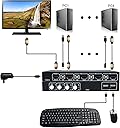
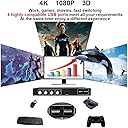
Product Description HDMI KVM switch four groups of high-definition video source and USB interface implementation free switch, Adaptive EDID decryption, can adapt to a variety of complex application environments.The equipment has excellent image processing and transmission capacity, make the output signal is more smooth and steady, is a reliable, high performance and efficient way of HDMI USB switch PW-SH0401K Switch 4 HDMI sources at will. Two switching modes. 4Kx2K@30Hz resolution. High compatibility. Support wireless keyboard and mouse. Equipped with HDMI cable and USB cable. Feature Two Switching Methods The Switch can be realized by pressing the corresponding PC button on the device You can switch the PC by clicking the combination key on the keyboard (Scroll Lock+Scroll Lock+1 or 2 or 3 or 4) Special order: The device can automatically scan the HDMI signal source for automatic switching, switch an HDMI signal source every 10 seconds, press any key to stop scanning.(Scroll Lock+Scroll Lock+S) Prevent switching error commands: ①:For example, when your PC3-USB port is not connected, you cannot switch even if you press the toggle button.(Scroll Lock+Scroll Lock+P+W+1)②:For example: When your PC3-USB is not connected, you can switch by pressing the toggle button.(Scroll Lock+Scroll Lock+P+W+0) Product Packaging HDMI KVM Switch(4 IN 1 Out)---------------------1 Piece 5ft USB Cable---------------------------------------------4 Pcs 5ft HDMI Cable-------------------------------------------4 Pcs Power Adapter--------------------------------------------1 Piece User Manual------------------------------------------------1 Piece Review: Comes with everything you need... Very easy setup.. - Brought to use with 4 server I use for ESXi, comes with everything you need, it took 5 minutes to setup. I only wish it had a multi-view built in.. but can't complaint for the money. Review: Great little KVM switch - Great little kvm switch. Doesn’t need the power supply - appears to be powered from the host HDMI connections. Keyboard and mouse device IDs pass through fine.
| ASIN | B07K749X36 |
| Brand | PWAY |
| Circuit Type | 4-way |
| Circuit type | 4-way |
| Colour | 4 Port KVM Switch |
| Connectivity Protocol | Hdmi |
| Connector Type | hdmi |
| Connector type | hdmi |
| Controller Type | Push Button |
| Customer Reviews | 3.5 out of 5 stars 6 Reviews |
| Manufacturer | PWAY Technology |
| Manufacturer Part Number | PW-SH0401K-3 |
| Material | Polycarbonate |
| Operation Mode | ON-OFF |
| Operation mode | ON-OFF |
| Switch Type | KVM Switch |
| Switch type | KVM Switch |
| Unit Count | 1.0 count |
K**N
Comes with everything you need... Very easy setup..
Brought to use with 4 server I use for ESXi, comes with everything you need, it took 5 minutes to setup. I only wish it had a multi-view built in.. but can't complaint for the money.
K**D
Great little KVM switch
Great little kvm switch. Doesn’t need the power supply - appears to be powered from the host HDMI connections. Keyboard and mouse device IDs pass through fine.
K**E
Leider sehr instabile Bildanzeigen
Am anfang war ich begeistert: gute Bildqualität, gutes Preis-/Leistungsverhältnis. Dann kamen nach 3-4 Tagen ständig Aussetzer im Dauerbetrieb (sobald mehr als ein Gerät angeschlossen ist). Einen schwarzen Bildschirm alle 5-30 Minuten für eine Zeitdauer von 1-3 Sekunden will wohl keiner haben. Das Vorgängergerät von einem anderen Hersteller (leider begrenzt auf 2 HDMI Geräte) hatte solche Probleme nicht.
M**.
Funktioniert wunderbar
Das einzige Unbequeme ist, dass die angeschlossenen Geräte falsch herum nummeriert sind. Wenn man auf das Bediengeld schaut, ist Anschluss Nummer 4 links - also anders als auf jedem Telefon, Tastatur, Fernbedienung etc. Scroll Lock, Scroll Lock, 1 aktiviert daher nicht den ersten sondern den letzten Computer. Ist aber okay, meist drückt man doch auf die Knöpfe. Toll ist, dass alle Kabel dabei sind.
A**R
Very good product
Very good product, easy to use. Can switch between computer also with the keyboard (ScrollLock+ScrollLock+number)
A**R
Screen turns Black a few seconds after 2 months
After two months the screen turns Black for 1-2 seconds after working half an hour on the PC.
Trustpilot
1 month ago
2 weeks ago