Buy anything from 5,000+ international stores. One checkout price. No surprise fees. Join 2M+ shoppers on Desertcart.
Desertcart purchases this item on your behalf and handles shipping, customs, and support to USA.
๐ Elevate your Pi projects with a vibrant touchscreen that means business!
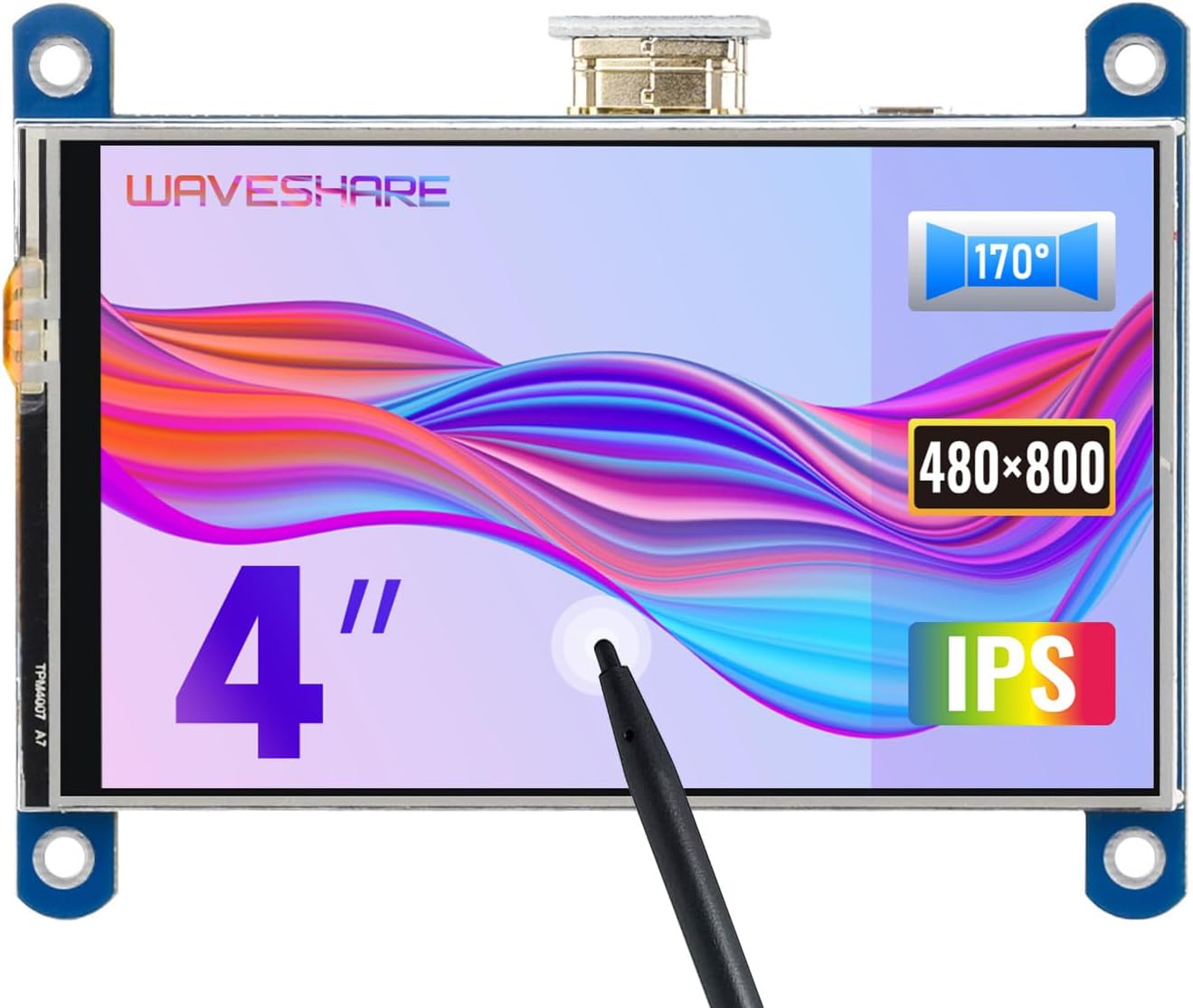
The Waveshare 4-inch HDMI LCD is a high-resolution 800x480 IPS display featuring a resistive touch panel optimized for Raspberry Pi models. It offers wide viewing angles, energy-efficient backlight control, and plug-and-play HDMI connectivity, making it an ideal compact monitor and interactive interface for developers and tech enthusiasts.
| ASIN | B07P5H2315 |
| Additional Features | Touchscreen |
| Aspect Ratio | 1.66:1 |
| Best Sellers Rank | #25,849 in Electronics ( See Top 100 in Electronics ) #711 in Computer Monitors |
| Brand | waveshare |
| Built-In Media | 4 inchHDMILCD x 1,HDMI connector x 1,Touch pen x 1,RPi screws pack (4pcs) x 1,Quick start sheet x1 |
| Color | 4inch HDMI LCD Screen |
| Connectivity Technology | HDMI |
| Contrast Ratio | 1500:1 |
| Customer Reviews | 4.1 out of 5 stars 159 Reviews |
| Display Resolution Maximum | 480x800 |
| Display Technology | LCD |
| Display Type | LCD |
| Global Trade Identification Number | 00614961950160 |
| Hardware Connectivity | HDMI |
| Image Contrast Ratio | 1500:1 |
| Item Weight | 3.2 ounces |
| Manufacturer | Waveshare |
| Model Name | waveshare 4 inch HDMI LCD |
| Model Number | 4inch HDMI LCD |
| Mounting Type | Wall Mount |
| Native Resolution | 480x800 |
| Picture Quality Enhancement Technology | IPS technology |
| Processor Count | 1 |
| Resolution | 480x800 |
| Screen Finish | Glossy |
| Screen Size | 4 Inches |
| Screen Surface Description | Glossy |
| Specific Uses For Product | Business, Education, Gaming, Photo Editing, Programming, Video Editing |
| Total Number of HDMI Ports | 1 |
| UPC | 614961950160 614591448426 |
| Viewing Angle | 178 Degrees |
D**D
Works!!
Worked perfectly. Some people had issues when reading reviewsโฆ just have to make sure you restart your computer before using this monitor. Make sure everything is plugged in and restart and should work like a mini monitor for PC
S**J
Good retro-pi screen over HDMI...
This did the trick. I was able to take my retro pi portable with this 4 inch screen. You will need to install the driver on the pi, just follow the instructions on the wiki. Using the HDMI worked for the retro gaming, I wouldn't expect the gpio pins to have the performance you'll need. This comes with a small HDMI plug so don't worry about having to plug in a HDMI cable, they have you covered, and it looks nice. I wish I didn't have to set the Pi's screen rotation, but that's a minor gripe. Overall happy with the screen.
S**E
An overall good experience getting this up and running.
I am new-ish to working with components like this. This display has been a joy to work with in building a prototype of a product I'm developing. I am using it on an RPi4 running 64-bit Raspian (Debian 12). The firmware support is solid. The display was trivial to have working properly. I had a learning curve with integrating the touchscreen into the software, but that has nothing to do with the Waveshare device itself and everything to do with my novice status. I would use this screen again for other projects, and I will be looking favorably at other Waveshare devices.
I**M
Another garbage display
Second display, which was meant to be a different product, but no. There are multiple of these devices from the same seller, but they're the same model. Model XPT2046 doesn't work on Windows 10, regardless of what the seller indicates. Not sure if they're just changing components on each manufacturing run so people are having a different experience, but these are waste of time. Just avoid the entire seller.
E**.
Waveshare makes GREAT stuff. I have 7 different screens, all great!
I have a 4.3 inch display, (3) 3.5 inch displays, a 4 inch display and a 2.8 inch display. Excellent quality, and MOST IMPORTANTLY, fantastic documentation and technical support on their extensive website to walk you through the set up process. Why is this a big deal? I am using (3) of these screens with Raspberry Pi systems, which can be a challenge to set up. Thank You Waveshare
G**E
OK display, poor touch performance.
The display itself is bright and the resolution decent, I can easily read text on it and images are clear. There are no instructions with it, but the manufacturer's web site has everything needed. It is designed for use with a Raspberry PI, the interface is the same 40 pin connector as on all Pis. So, it's just a matter of adding a header to the PI and plugging into the display and connecting an HDMI cable. Power and touch are both provided by the 40 pin connector, video is HDMI. There is a driver required for the touch screen, available from the manufacturer. This display is OK, but for me it fails in one of the primary functions. The touch screen is unstable and jitters badly. Touch the stylus to the screen and hold it in one spot and the cursor jumps all around. My application requires the ability to draw lines and curves and for this, it is entirely unsuited. It ends up looking like random scribbles.
K**D
Perfect for PC case display
It's a little small and the standouts are super long, but it works great, looks great, and adds some nice flair to the newest pc build
R**N
Great screen quality
The trick to get this working in a rig is too let the rig boot it self up and than connect the hdmi to gpu0 and have the bios set to gpu0 as default video
Trustpilot
3 weeks ago
2 days ago