Desertcart purchases this item on your behalf and handles shipping, customs, and support to USA.
๐ Elevate your home network โ because buffering is so last decade!
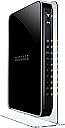
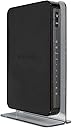
The NETGEAR WNDR4500-100PAS N900 Dual Band Gigabit WiFi Router delivers up to 900 Mbps combined wireless speed across dual bands, ensuring smooth HD streaming and gaming. Designed for larger homes, it offers extended WiFi range and gigabit wired ports for ultra-reliable connections. With ReadySHARE USB and printer sharing, plus the NETGEAR Genie app for easy network management, this router is a powerhouse for modern smart homes in the US and Canada.
| ASIN | B00HEX851C |
| Antenna Location | Home, Gaming, Streaming |
| Antenna Type | Fixed |
| Best Sellers Rank | #1,072 in Computer Networking Wireless Access Points |
| Brand | NETGEAR |
| Color | Black |
| Compatible Devices | Gaming Console, Personal Computer, Printer, Smartphone, Tablet |
| Connectivity Protocol | ethernet, wi-fi |
| Connectivity Technology | wireless |
| Control Method | App |
| Controller Type | android, vera |
| Coverage | Large Homes |
| Customer Reviews | 4.3 out of 5 stars 1,538 Reviews |
| Data Transfer Rate | 900 megabits_per_second |
| Frequency | 2.4 GHz |
| Frequency Band Class | Dual-Band |
| Global Trade Identification Number | 00606449080131, 10606449080138 |
| Item Weight | 2.5 pounds |
| LAN Port Bandwidth | 10/100/1000 megabits_per_second |
| Manufacturer | Netgear Inc |
| Maximum Upstream Data Transfer Rate | 450 megabits_per_second |
| Mfr Part Number | WNDR4500-100PAS |
| Model Name | WNDR4500 |
| Model Number | WNDR4500-100PAS |
| Number of Antennas | 3 |
| Number of Items | 1 |
| Number of Ports | 4 |
| Operating System | Microsoft Windows 7, 8, 8.1, Vista, XP, 2000, Mac OS, UNIX, or Linux |
| Other Special Features of the Product | LED Indicator |
| Router Firewall Security Level | High |
| Router Network Type | Dual-band |
| Security Protocol | DoS attach prevention, Double Firewall protection (SPI and NAT), WPA/WPA2 - PSK |
| Special Feature | LED Indicator |
| UPC | 606449080131 |
| Unit Count | 1 Count |
| Wi-Fi Generation | Wi-Fi 4 |
| Wireless Communication Standard | 802.11abg |
| Wireless Compability | 802.11abg |
D**E
Very happy with this.
First and foremost this is NOT capable of physically terminating a DSL connection. It can perform the authentication and terminate the PPP session. However you ABSOLUTELY do need another device to pysically terminate your DSL connection coming from the service provider, there is no RJ11 port on this router. The bright side is, that can be done with a nice cheap device that operates in what is called bridge mode. I bought this because the piece of crap "router" that AT&T charged me for didn't have anything like routing features on it. This is a fully featured home router and will perform many high end functions that most devices of this class do NOT do. For the price this is an excellent device. It has both a 2.4 and 5 ghz wireless radios, so you can seperate devices if you have any capable of 5 ghz, which will reduce latency in a home using lots of wireless such as mine. I have 2 ipads, 2 iphones, 2 macs, and an xbox. I've got all the apple gear running on 5ghz so my xbox is alone to use the 2.4 channel with no competition. If you've got any questions about the specifics of this device, feel free to ask. I'm completely happy with it, and it's worked flawlessly from day 1. I went from using AT&T's $100 "router" that constantly dropped the PPP session and wasn't even getting 65% of the advertised throughput with horrible wireless coverage, to using this for the same price and it does everything that the other piece of junk was supposed to do. Wireless coverage is great, I have a largish house. Router is on the first floor and my den is on the second story. It also has a GOOD NAT engine, which if you know anything about gaming or VoIP this is important. Many cheaper devices have garbage NAT engines and will try to "fix up" sessions that they think aren't working correctly. This doesn't do that. You can also disable any of the onboard fix ups that are in place to make sure traffic is getting through exactly as it reaches you.
V**N
Great dual band WiFi router in very WiFi congested apartment complex. Solved months of woes with Cisco WiFi on Comcast
Replaced Cisco/Linksys e3200 dual band with this new NetGear router. Cisco has serious problems on Comcast causing speed degradation from 75 Mbps to under 10 Mbps (download slower than upload). Used NetGear Genie to change my SSID and passwords to the ones I already had programmed on all my devices on previous router. Selected the best channels for my apartment complex. My Samsung Galaxy S4 and Samsung Galaxy 10.1 Tablet 2014 edition both run on 2.4 and 5 GHz band. I live in apartment complex where at least 40 different home networks are visible on 2.4 band using WiFi Analyzer. Too much interference to maintain a solid data stream. So I use the 5 GHz band for WiFi on my cell phone and tablet (only 5 networks on that band). I installed Powerline ethernet extender so my 2.4 band devices (Blu-Ray Disk, Roku, etc.) are now hardwired to ethernet and no more movie buffering. This new dual band has solved all my problems. No more slow internet speeds due to incompatibility between Comcast and Cisco/Linksys Wifi routers. Very easy setup without needing to talk to Comcast idiots. The only problem I encountered was the the 5 GHz band would not turn on no matter how many times I entered the SSID and password using Netgear Genie. I finally just unplugged WiFi router to reboot and problem solved.
R**C
Super fast no degradation and works as a great access point - don't make the same mistakes I did
Important, make sure to read this so you don't make the same mistakes I did. Super fast and works as a great access point - pushing over 100mbps WiFi and Ethernet. I already own one of these for about 2 years or so and have been very happy with it but I did not think I needed another one just to use as a simple access point. (eventually you will see that I purchased another one to use as an access point.) I am not sure what the specification is with this device, but this brand and model allows full throughput which matches the Mbps as if you plugged in your machine directly to the cable modem. There is no degradation on speed. I was looking for a pure access point and purchased a couple of them prior only to have to return them, they were of the Cisco and Netgear variety. When I hooked those up I was only get 8 to 25 Mbps. Not sure why? If someone knows please chime in. I thought a Cisco WAP4410N Wireless-N Access Point would do the trick and that only gave me 8 to 10Mbps - I sent that back due to constantly needing to reboot it and purchased a NETGEAR Smart WiFi Router AC1750 Dual Band Gigabit (R6300v2) thinking this would be better based on the specs. I hooked that up and I only got 25 Mbps. I returned it. I thought it was my internal network, a bad wire, patch cable drop etc. I took the one I had out of my office, hooked it up in the area I wanted to use and BAM - over 100Mbps over wire and almost 100Mbps over WiFi. So I bought another one. So far so good. If anyone knows the reason why this router faster than the newer ones please feel free to comment. According to the specs
L**O
Mostly great router but quite tweak-limited
This router is definitely one of the best choices for a top N mode router in terms of performance and wireless range, which are its quite good highlights. But, it is full of quirks and limitations that may bother some, especially if coming from a D-Link router like me (I upgraded from a DIR-655 A3). The following points are still valid for router firmware 1.0.0.60 of 7/15: - First off, and this probably doesn't matter to most, but the user manual is pretty bad. It leaves out many settings, and doesn't go into detail on several important ones. Luckily most things are detailed better in the help section at the bottom of the router config pages, though you obviously can't investigate that until after purchase! - For having a dual-core 600mhz cpu and 128mb ram (top features), the router config pages can feel pretty darn sluggish. - A "DNS relay" feature is forced, always setting clients with the router's IP as the DNS server. Even if you manually specify DNS servers to use in the router config, it will still set the router's IP on clients. (Of course, this can be overcome by manually setting them on each computer, if really feel the need to.) - Some advanced wireless settings are non-existent, like beacon interval and DTIM. - No report of signal strength of the connected wireless clients. So a nice network management feature I once had is now missing. (However, this can be had using the completely optional Genie software, but unfortunately it is bloatware that also installs a background service for some reason!) - No list of connections the router is handling. So another nice network management feature I once had is now missing, and to me this one is a MAJOR drawback! (And the main reason I had to dock a star rating.) - No blinky lights. There's no indication of activity whatsoever when the router is operating normally. But this is probably a good thing, since blinking lights can be a distraction. The lights are dim enough, though, so it would still have been nice to see when there is traffic occurring. - The logs are not very detailed at all, and display wrong times (unless you happen to live in the right time zone by default). To make it show correct times, you have to set your time zone found in the Security > Schedule section, which wasn't quite intuitive to find. - The router does access a time server, but there's no way to specify an alternate one. - Certain setting names are confusing, like does NAT Filtering "Secured" mean address/port restricted and "Open" mean endpoint independent? And does "Disable Port Scan and DoS Protection" really mean the SPI firewall feature? - CTS/RTS is disabled by default. This is probably not an issue unless you have a hundred wireless devices, but you may need to lower default 2347 to avoid issues depending on your environment or devices. (And Netgear feels you should not know anything about these settings, and simply warns to not touch them!) - Apparently there's no way to limit the device mode connection type, such as allowing only N mode devices so G mode stuff can never connect. Unless this can be done with the "connection speed" settings; like does "Up to 450Mbps" exclude G mode, or is mixed mode always used for all speed setting choices? If it is always mixed mode, then I hope the increased performance specs of this router makes mixed mode no longer a small wireless performance penalty. - Clients still get a short lease time of at least 1 day even when address reservation is used. - The email logs function is useless because you cannot specify the smtp port to use, being hardcoded to 25 which most ISPs block. To work around this limitation, you would have to run your own local smtp server and set that in the router's setting, and make that local smtp server relay to the proper server and port your ISP uses. - The IPv6 support of the router seems to have a fatal flaw if the Traffic Meter feature is enabled, where after a few hours or couple of days the router will suddenly lose all connectivity and reboot itself. Either feature is pretty irrelevant anyway, but the Traffic Meter is no loss if rather have IPv6 support. - This router has the opposite of what most others implement for the 2.4ghz band "channel width" setting. Here you can set either the auto 20/40 mode, or 40 only mode. Most other brands have auto 20/40 mode, and 20 only mode. While it is nice Netgear allows using the better 40 only mode, some see this as not very "neighbor friendly." - QoS control is extremely limited. For example, you can't set a rule for a specific connection (like some remote IP) on a specific client (like one computer). Sure, you can set a rule for a specific computer, but it will affect everything from it. And there's no explanation if specified ports apply to local, remote, or both; so if you wanted to prioritize say just one local port, you don't know if it works because there's no indication. My deduction is it applies to only remote ports, but if you use something that sends its data out using the same local port all the time, it should be able to apply to that too. The claim of "Advanced QoS" on the box is not so honest, really, at least when it comes to configuration control. Other than these points compared to my previous router, this Netgear router is still a quality unit that is working very well so far. It is very powerful and can handle a lot easily (I read somewhere over 4000 active connections). And if one is feeling quite brave, there is third-party firmware available that probably addresses all these limitations and then some (but then probably introduces lots of quirks of its own, besides being much more complicated).
H**N
Product Review - 6 months later
Netgear N900 Dual Band Gigabit Wi-Fi Router I purchased the Netgear N900 Dual Band Gigabit Wi-Fi Router on August 8th, 2016. For reference, this router is used in a two-bedroom apartment which is approximately 700 sq. ft. I was looking for a router that could handle multiple devices connected at one time and allow me to watch videos in HD quality that would not cut too deeply into my wallet. This review will be an overview of my usage of this product over the past 6 months and how well I felt it met my grading criteria. First Impression: When the router arrived from amazon, the package contained the router and power supply, a three-foot Ethernet cable, a set-up guide and an ownerโs manual. The instructions were easy to read and very intuitive which allowed for a quick set-up. The Netgear N900 has its own network manager app called the Netgear Genie. I thought this might overly complicate the set-up but it instead it allowed me to name my networks, create passwords and even make a guest network with ease. Overall, the set-up of this product required very little expertise in wireless internet and was quick from unboxing till my first connection which gave me a very strong first impression. Criteria Multiple Devices: I live in an apartment with only 1 other person. We each have approximately 3 items each connected to the Wi-Fi at a time. These devices are 2 cell phones, 2 laptops and an Xbox One and PS4. Even with all these devices running at the same time there is often very little slowness on browsers, watching videos or playing games. When guests are over and the total devices on the Wi-Fi doubles lag becomes very evident on individual devices. Phones tend to suffer less, computers only seem to be effected during wireless intensive activities such as video streaming and gaming, and Xbox and PS4 online multiplayer becomes nearly unplayable. Disconnection tends to occur on select devices during this time as well. This only seems to be the case when 10 or more devices are present, but seeing as this isnโt the norm it does not tend to be an issue in a typical day. Watching HD Video: During my time using this router I have streamed video from 3 different locations, YouTube, Netflix and Amazon Prime Video. The quality of my videos seems to drastically change with each so I am uncertain if the issue stems from the router or the wireless itself. YouTube has excellent HD quality regardless of the total devices or whatever else my device is running. Netflix also has reliable HD streaming though it can decay to lesser quality with more devices on the network. Amazon Video streaming struggles to break 480p regardless of how many devices are connected which seems to indicate it is not necessarily tied to this router. These services all fall behind on a busy network but in a typical scenario they do preform on the highest quality provided. Conclusion: For what I paid for I believe this router to be one of the best available. It outclasses the average router immensely providing great internet with very little lag without costing an arm and a leg. At the 90-dollar price range this may be more than some people are willing to pay but if you would like to have reliable internet on a select number of internet intensive devices this is certainly the product for you.
D**G
Works but could use a change
UPDATE JAN 25 2017: One year and a few weeks after purchase, it stopped working. All lights were on as required, appeared to be working; however, hard wired and wireless components could not connect. Did numerous power plug removals, did a few resets, swapped cables from the Arris modem to the router, nothing changed. Connected the computer directly to the model via cable, and the computer had internet access. Connected the TV directly to the modem and was able to connect to both Amazon prime and Netflix. Reconfigured everything a it was; modem cabled into the router, TV connected to the router, and NO wireless and TV that was directly wired could not connect to Amazon or Netflix. Basically, after ONE YEAR and A FEW WEEKS, the Netgear modem FAILED. I did get a square trade extended warranty, contacted them and they emailed me a FedEx shipper to ship back the modem, and when it is received they will issue a check for the amount I spend on the piece of junk. So the square trade warranty was well worth it. As for the router....come on NETGEAR, make something work for longer than one year and a few weeks. This is ludicrous and guarantess that this guy will NEVER purchase another one of your products and will pass the word to everyone. So, yes the wireless speeds WERE great, but they are really terrible when the router does NOT WORK! Just connected but the wireless speeds are a lot better throughout the house. Easy enough to connect, the Genie does a good job of allowing for new SSID and passwords. Wireless speeds in the LR, about 10 feet from the Netgear Router have increased from the older model modem/router gateway supplied by Cable One. Previous speeds were about 38 Mbps; whereas the speeds with the Netgear Router are not up at 78 Mbps. In the master bedroom, the furthest spot in the house, the previous speed was 19 Mbps, with the Netgear it has increased to 45 Mbps. Only thing I will knock in regard to the Netgear router is the power connection. I read reviews that stated the power connection was similar to a computer, with a short normal type power plug on the end of the transformer. Well, this one had the standard transformer style where it has the power prongs and connects directly to a power outlet. I understand moving the power supply from the inside of the router; however, I don't understand the ignorance of not using a computer style connection. Don't these people, who design these components understand or care, that we, the consumer, might like to connect these items to a power management system to protect against power surges and power drops? You cannot do that with the large transformer wart used. So now I have to order some more 1 ft extension cords just to add to the cord mess behind the audio components. Something that would not be needed if someone could at least sit back and think!
S**.
What a nice router!
This router works great it is so much better than the N300. A better router can make a big difference in your upload and download speeds. I have 5 computers with either Windows 8.1 Pro or Windows 8.1. They are working perfectly with this new router. This router was nothing to setup using the Genie. You also can attach a hub to your computer to make sharing a whole lot simpler. I would definitely recomend this router. The N300 did in a pinch and was extremly cheap but very slow, if you don't download much then it is a good buy. The N900 allows streaming (with the better adapters) perfectly and since I have backup drives and DVR's and the printers all on hubs, it works perfectly. I don't need to bother attaching them to router. Just a note, if you have drives or printers or software that is giving you fits, get Windows 8.1 pro and run their programs through the compatability option in Windows, you be amazed at how many problems will clear up, especially if you have older upgraded computers. That way when it uses those programs they will work properly. I wish someone had told me that before I spend hundreds of dollars and hours trying to get them fixed. And guess what most of the tech support won't tell you that because they want to sell you another product!
C**E
Works great and very easy to setup
This unit was surprisingly easy to setup. I have been installing routers for years and this one was very simple to install. It is dual-band. I was able to configure the band I was not on via WiFi (which begs a security question but let's move on), then switch to that band, and then reconfigure the original band. Configuring these bands was not necessary except I chose to do so to make the 2.4 and 5.0 bands match the router being replaced. This saved a lot of time in not having to adjust a dozen WiFi devices. The software that came with the router, downloadable, also performed router updates bringing the router up-to-date. Very simple to use. Very intuitive. This router replaced a lower grade model that was zapped by a lightning strike. This model is obviously "beefier" and better grade than the earlier model. I would buy one of these again. I have had zero problems, great performance from both bands and the wired connections as well. Nice to see something that works well and is easy to use.
A**E
Best Router I have Ever Owned
I have had many routers but this one is my all time favourite. Not only does it look amazing but it functions flawlessly. The set up was a breeze and yet also gave me tons of cool options. My connections are fast and it never fails. Amazing value.
J**Y
It works!
Does what it's supposed to. It's nicer than my old router. I'm connected to wi-fi before I even get into the driveway when I'm coming home from work. It's a little more efficient overall. It was on sale and worth the price. Very easy set-up. No issues and no need for any trouble-shooting.
J**O
Great unit!
I own two of these. They're capable of even out performing my R7000 from one end of the house to the other. Quite a capable unit. Probably not for intense gamers given the available speeds.
A**R
very good range!
plugged it in and it worked instantly. very little set up required on MS windows as well. has been working great for a month or so now and the range is excellent.
R**N
Buy at your own risk.
This router is good for the first 3 months. After that it started disconnecting me from the internet every 2 hours. I contacted Netgear about this and they were going to charge me $90ish to fix my router. Buy at your own risk because Netgear will not help if it breaks after 3 months.
Trustpilot
2 months ago
5 days ago