Buy anything from 5,000+ international stores. One checkout price. No surprise fees. Join 2M+ shoppers on Desertcart.
Desertcart purchases this item on your behalf and handles shipping, customs, and support to USA.
🚀 Upgrade your Mac’s memory, upgrade your hustle!
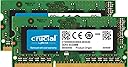
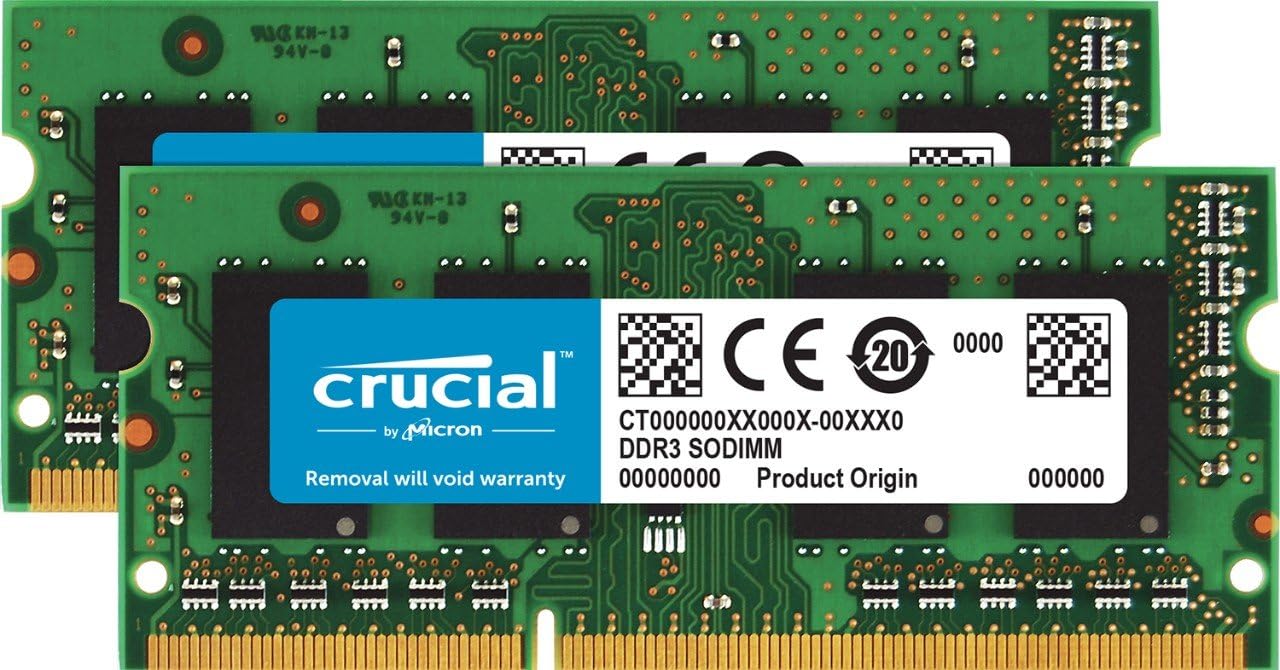
The Crucial 8GB Kit (2x4GB) DDR3L 1600 MT/s SODIMM is a high-performance, Apple-specific memory upgrade compatible with Mac Mini, MacBook Pro, and iMac models from late 2012 to mid-2015. Featuring dual voltage operation (1.35-1.5V), 204-pin SODIMM form factor, and CL11 latency, it delivers a significant boost in multitasking speed and app responsiveness, extending the life and productivity of your Mac.


| ASIN | B008LTBITY |
| Additional Features | nv: Company Program^Crucial Apple | DDR Timings^CL=11 | DIMM Type^Unbuffered | Density^8GB Kit (4GBx2) | Error Checking^NON-ECC | Megabytes^8192 | Memory Type^DDR3 PC3-12800 | Package^204-pin SODIMM | Platform Category^DDR3 | Replenishment Flag^N | Speed^DDR3-1600 | Voltage^1.35v/1.5v (Dual Profile) | VolumeDiscountBucket^HIGH |
| Best Sellers Rank | #1,259 in Computer Memory |
| Brand | Crucial |
| Column Address Strobe Latency | cl11 |
| Compatible Devices | Laptop |
| Computer Memory Size | 8 GB |
| Customer Reviews | 4.7 out of 5 stars 1,828 Reviews |
| Data Transfer Rate | 1600 MHz |
| Form Factor | SO-DIMM |
| Global Trade Identification Number | 00649528762092, 08536692577527 |
| Item Weight | 0.02 Kilograms |
| Manufacturer | Crucial Technology |
| Memory Form Factor | SODIMM |
| Memory Generation | DDR3L |
| Memory Speed | 1600 MHz |
| Mfr Part Number | DDR3/DDR3L 1600 MT/s SODIMM Memory For Mac |
| Model Name | DDR3/DDR3L 1600 MT/s SODIMM Memory For Mac |
| Model Number | CT2K4G3S160BM |
| Number of Pins | 204 |
| RAM Memory Technology | DDR3L |
| RAM Size | 8 GB |
| Special Feature | nv: Company Program^Crucial Apple | DDR Timings^CL=11 | DIMM Type^Unbuffered | Density^8GB Kit (4GBx2) | Error Checking^NON-ECC | Megabytes^8192 | Memory Type^DDR3 PC3-12800 | Package^204-pin SODIMM | Platform Category^DDR3 | Replenishment Flag^N | Speed^DDR3-1600 | Voltage^1.35v/1.5v (Dual Profile) | VolumeDiscountBucket^HIGH Special Feature nv: Company Program^Crucial Apple | DDR Timings^CL=11 | DIMM Type^Unbuffered | Density^8GB Kit (4GBx2) | Error Checking^NON-ECC | Megabytes^8192 | Memory Type^DDR3 PC3-12800 | Package^204-pin SODIMM | Platform Category^DDR3 | Replenishment Flag^N | Speed^DDR3-1600 | Voltage^1.35v/1.5v (Dual Profile) | VolumeDiscountBucket^HIGH See more |
| UPC | 012304322399 151903574089 649528762092 649528762108 |
| Unit Count | 1.0 Count |
| Voltage | 1.35 Volts |
| Warranty Description | Limited Time Warranty |
L**.
Works great
Originally, I didn't think my RAM could be upgraded, I have a 15" mid-2012 MacBook Pro with 4GB. I read some of the reviews from others who have this model and even though the Apple website says it only holds 8GB, apparently people have been successful with 2 8GB sticks. I don't use my laptop for gaming, but I use fairly large programs to build websites, and just a lot of general multitasking, so I opted for getting 2 sticks of 4GB (so 8GB total). It was easy to install, I watched a YouTube video for my specific model. I did have to purchase a Phillips head #00 screwdriver from the hardware store, it was $5. Make sure you put the screws into a little bowl or something because the top right 3 are longer but the others are the smallest screws I have ever seen. When I first turned on my computer again, only one RAM stick was reading, the other said "empty". I switched them out again, putting the top stick on the bottom and the one I had on the bottom, I put on the top just to make sure it wasn't the RAM itself. It wasn't, I was an idiot and didn't have it in right I guess. Second time booting up, I went to About this Mac and Memory, it was reading correctly at 8GB total. The first thing I noticed was that when I switched user accounts, it loaded right away, as before it would take a good minute or more to switch over to the other user's log in screen. Also, my iMessages app would take ages to start and load messages, it worked almost instantly. My MacBook is running really fast as compared to before, so I am very happy with this purchase! I can't speak to using a total of 16GB of RAM because I didn't install that, BUT from other reviews I definitely think that it's fine with this particular model. Here I was looking at buying a new MacBook Pro, I just saved myself literally $1000 lol! This brought some new life back into my computer, so if you're looking for speed and loaded apps/multitasking it's totally worth it, I definitely think I have myself a couple more years on this bad boy.
T**O
This Kit Can Really Boost Your Productivity, If You Know What You're Doing...
This kit worked great with my Mid-2012 MacBook Pro 15''. To start off, I'm not a gamer. I don't do heavy computing and I'm not a big computer nerd. I use my computer for everyday things - surfing the internet, writing, using my calendar, communicating with friends, Excel/Word/Powerpoint, music & sampling, along with some designing (with Photoshop & Illustrator). Before I bought this, my computer was abnormally slow even though only half of my hard drive was full (it was slow to wake up, it took a while for apps to load, and there was always a lag when I switched apps). As soon as I switched my memory from 4GB to 8GB, it made a tremendous difference. All my apps run fast, I never have to reboot my computer (although I still do periodically) and everything feels like when I first got my MacBook. If you're on the fence of buying this, stop. Do your research and figure out if you really need this, otherwise you'll just waste your time, money, and energy. Use the Utilities found on your computer and specifically, "Activity Monitor" to determine how much memory your computer is using. I was pushing 3.99GB when I had 4GB available - that was problem #1. Oh, and if your computer is old, changing your memory is pointless. Just get a new computer. If you're looking to make your computer start faster, the problem isn't your memory (most likely). The problem is your hard drive - so you need to get a faster and bigger hard drive if your computer is too slow to boot up. And lastly, switching memory isn't the magic cure to making your computer run incredibly fast. You still need to take care of your computer - that means, periodic cleaning of your files, cache, and junk. Turning it on and off every now and then, and making sure you back up your files. You really only need to make a memory switch if 1) your apps are slow to load and it takes a while for you to switch from a program like Microsoft Word to Chrome. 2) When you wake your computer, it takes a solid 20-30 seconds before you can do anything. 3) Your Activity Monitor shows that you're pushing the limits for your memory. If you meet all of those qualifications, then get this! If not, figure out what you need by doing a Google search.
P**3
worth it
This brand that designed this ram in awesome! It can be a bit costly but the ram has great performance, great speed and the ability to process multiple things within a app or over several apps is great. I've compared this brand 8gb to another brand of 16 gb and even at a smaller gb this brand out performed the 16gb. recommend this for those who use light to moderate weight software and app. If you use heavy apps then go for the 16gb of this brand. A key thing I look for to determine if i need to upgrade ram is when i am using my laptop (with proper ventilation) and it is showing a pattern running hot within certain software causing the software and the laptop to lag, move slow and/or freeze. A time here and there is no big thing but when this becomes the norm and the frequency of the laptop running hot while in the software has increased then it is time to upgrade ram. Since upgrading my ram to this brand and gb my laptop has not ran hot. I use this ram on my mid 2012 MacBook pro for light to moderate weighed software and basic every day use.
M**R
Works for an Early 2011 MacBook Pro model.
I have had my Apple Macbook Pro (early 2011) now with basically no problems at all. The only thing I started realizing was the speed of everything. It took a long time to open any window. I started looking into upgrading memory and was told by apple to check out Crucial Memory. On their website they have a computer scanner that will quickly scan your system to let you know what size you need and the maximum amount you can add. I located it and soon realized it was cheaper on Amazon's website with free shipping. I would recommend doing this. Crucial Still will back up their products even if you buy it from a third party company. The serial numbers however didn't match up which first had me concerned. I spoke to someone at Crucial and they advised the numbers may be different due to it not coming directly from the manufacture. So don't be fooled by the numbers. Installation was an absolute breeze. Quickly was able to unscrew all the little screws and pop out the old memory cards. Make sure you install the new ones the exact was the old memory comes out. Within 30 seconds it was installed. Now for the moment of truth. I checked the system under "about this Mac" and it now shows I have 8GB instead of 4GB. The results are absolutely amazing. I no longer have to wait for different programs to open. I also no longer get the little spinning wheel from time to time. It was a great buy and I would highly recommend it to anyone with a apple computer. Even if your speed seems okay, spend the money and upgrade! You won't be upset! Any questions please feel free to ask me. I can help you to the best of my ability.
J**E
Easy, Cheap, Reliable Upgrade
Crucial RAM is well-priced and works everytime. I bought this specific 4GB RAM stick for my home NAS and it booted right up after and easy installation process. It's a great solution when you need an upgrade in performance without having to purchase an entirely new system.
D**T
Speedy macbook!! Great Price.
My early 2011 Macbook Pro was slowing down to a crawl and I was beginning to see the spinning rainbow more and more often. Simply trying to open iPhoto took several minutes to load. I had looked into increasing my ram, as I still had the stock 2gb and amazon had the cheapest prices I could find. I tend to have several tabs open on Google Chrome while having music playing in the background and some other small tasks, so I thought 8gb would be enough, rather than shelling out $50+ more for the 16gb. Making the swap was easy and there are plenty of YouTube videos available if you need some help. It's as simple as unscrewing the bottom, making the swap, screwing it back on, and powering on your computer and letting the machine do the rest. Make sure not to lose any of the small screws while doing this. Ultimately I'm happy with my purchase but I wish I had spent the extra money for the 16gb. Make sure to open up Activity Monitor and see what your usage is before ordering. No complaints and my graphics even increased from 300mb to 512. I read that you don't need "for Mac" branded ram and regular DDR3 1600 will work but I decided not to risk it, and this version was even cheaper than the regular ones. P.S. If you really want to see your computer running like brand new, I would recommend installing an SSD drive. I went with the Samsung 850 EVO and my boot up time has decreased from a few minutes to a few seconds. (20<) Even my power consumption has decreased, allowing my battery to last a while longer and I don't feel the computer overheating anymore. While not the cheapest, these improvements are great investments and more affordable than shelling out for a newer computer.
J**L
Good RAM but not completely compatible with older MacBook Pro
Bought for my 2010 MBP. When I initially put it in, the MacBook did not start up. Did some web searches and came across a string that the speed of the RAM might be too fast for the hardware and with both modules in, the computer can't work. But if one of the existing modules were in, the computer would know what to do and the second module would then work at the lower speed. So I tried it and it worked. Now I have one 2gb and one 4gb for a total of 6gb after checking my about my Mac. I had a Mac Mini that I was able to use the other module in so it wasn't a loss there.
S**N
An essential upgrade when upgrading laptops from Windows XP to Windows 7 or 8,
With the end of Windows XP in April 2014 lots of clients are replacing their systems, but some want to upgrade those older XP systems. With 64bit Windows 7 or 8 a performance boost can been seen with 8GB or more of RAM, especially on older systems. They need more memory than Windows XP and extra RAM gets used to buffer disk I/O. This RAM installed easily in the two laptop memory slots and it started right up. After a BIOS warning about how the memory size had changed since the last boot (just press F1 to clear the warning) it worked perfectly. The system has Windows 7 Pro 64 bit installed now and has new life with a new OS. Crucial is the last US Memory maker and I have used their products for years in my own system and my clients. Out of hundreds of memory modules I've installed from Crucial there have been only one failure and the warranty replacement was quick and painless. They cross shipped the part saving time. So my experience with this 8GB kit is consistent with the 5 star quality I've come to expect from Crucial. Hope this helps someone.
G**N
Excelente relación calidad - precio
Lo use en una MacBook Pro Mid 2012 y en combinación con un ssd revivió mi equipo. Quedo mejor que nuevo y aumento su rendimiento considerablemente. La memoria fue fácil de instalar siguiendo un tutorÃas en YouTube.
H**S
Crucial quality
Bought these to update a discarded surplus Win 8 laptop to Windows 10. Gave it to a needy elderly relative who was thrilled with the speed.
E**O
Belle performance !
Bon produit qualité au rendez vous :)
S**T
life saver
Before this upgrade, it was depressing to read 'this iMac is too slo to run this song file" for Reason 9 DAW Maybe I should have gone to 32 Gb RAM, but RAM for 2015 iMac is like gold dust due COVID pandemic ; I had to send to New York, and FedEx are expensive, and then stung for import Tax into EU,ouch! None of this is the fault of Crucial, the company has just made my life easier, thanks! kisses, love to Crucial
D**D
Quick delivery and good RAM
Ordered the crucial last night and got delivered today. I was very surprised by the quick delivery. the ram works perfectly for Toshiba satellite C70D-B-001.
Trustpilot
2 weeks ago
4 days ago