


๐ Power your productivity with the ultimate dual-display docking station!
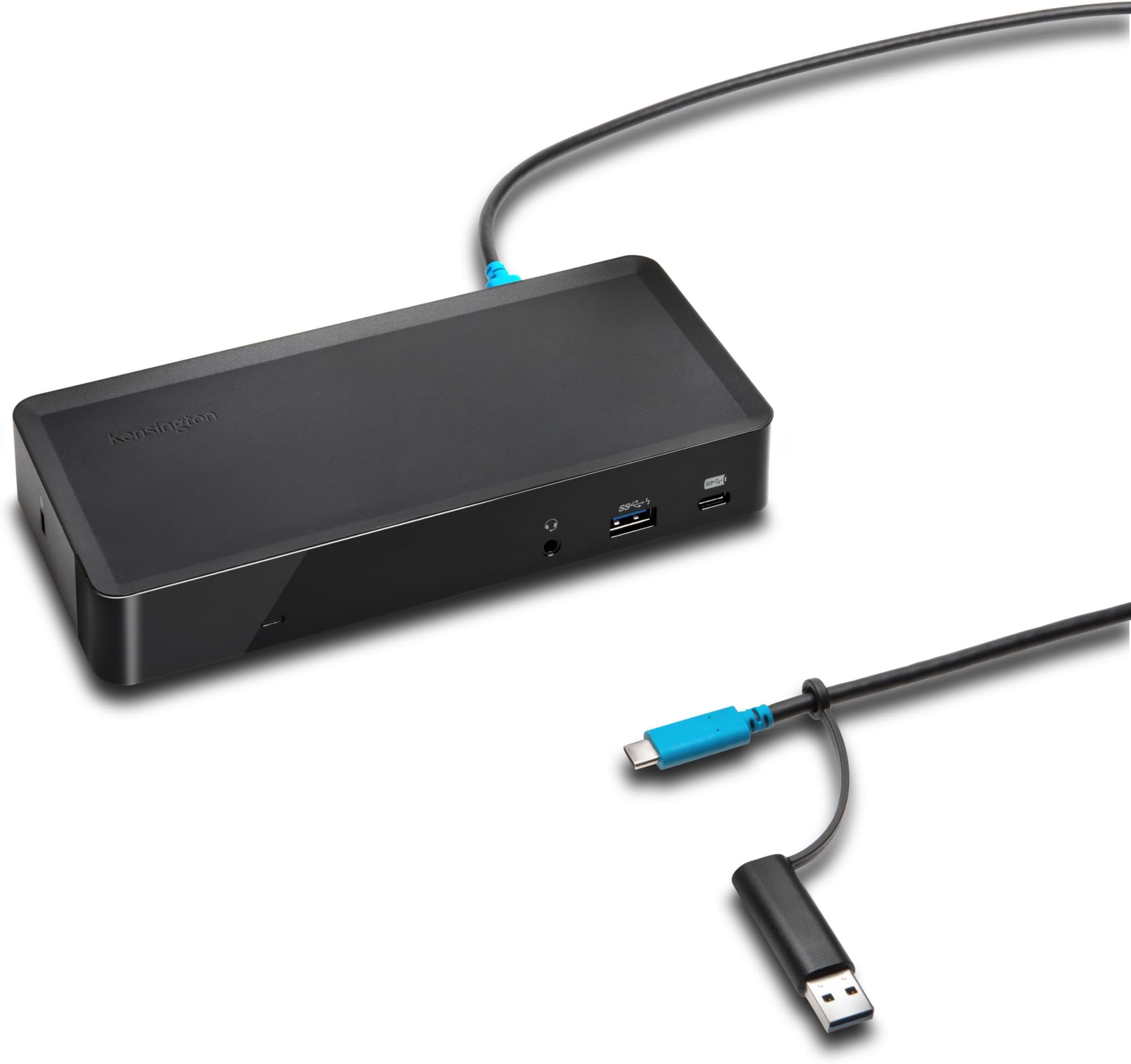
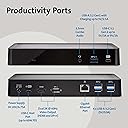
The Kensington SD4700P is a versatile USB-C and USB-A docking station designed for professionals who demand seamless multi-display setups and reliable power delivery. Supporting dual 4K displays via DisplayLink technology, it charges laptops up to 60W while offering five USB 3.0 ports, gigabit Ethernet, and audio connectivity. Compatible with a wide range of Windows PCs, MacBooks (including M1 and M2 series), Surface devices, and Chromebooks, this TAA-compliant dock is the perfect all-in-one hub to elevate your desktop productivity.

| ASIN | B079RS5YTK |
| Best Sellers Rank | 127,145 in Computers & Accessories ( See Top 100 in Computers & Accessories ) 960 in Docking Stations |
| Box Contents | One AC Power Adapter with US power cable included (K38240NA), Quick Start Instruction Guide, SD4700P Docking Station, USB-C to USB-C Cable, 1M (3ft), with a tethered USB-C (F) to USB 3.0 (M) adapter, Warranty Information |
| Brand | Kensington |
| Brand Name | Kensington |
| Colour | Black |
| Compatible Devices | MacBook Air, MacBook Pro, windows laptops |
| Compatible devices | MacBook Air, MacBook Pro, windows laptops |
| Customer Reviews | 4.2 out of 5 stars 89 Reviews |
| EU Spare Part Availability Duration | 3 Years |
| Global Trade Identification Number | 00085896382409 |
| Hardware Interface | USB 3.0 Type A, USB 3.1 Type C |
| Hardware interface | USB 3.0 Type A, USB 3.1 Type C |
| Input Voltage | 15 Volts |
| Item Dimensions L x W x H | 21.3L x 10.4W x 10.9H centimetres |
| Item Type Name | Kensington K38240NA SD4700P Universal USB-C & 3.0 Docking Station |
| Item Weight | 2.51 Pounds |
| Manufacturer | Kensington |
| Manufacturer Part Number | K38240NA |
| Model Number | K38240NA |
| Number of Items | 1 |
| Number of Ports | 10 |
| Product dimensions | 21.3L x 10.4W x 10.9H centimetres |
| Total HDMI Port | 1 |
| Total USB Ports | 7 |
| Total USB ports | 7 |
| UPC | 085896382409 |
| Unit Count | 1.0 count |
| Wattage | 60 |
V**H
Finity Trading - You are a real rock star and I am happy and proud to be your customer.
Firstly a big thanks to Finity Trading. Initially I received an item and it was not working. I cancelled my order on the same day. The very next day I called a call from the seller and he told that he will replace the product and he did it in the next day. You are a rockstar. The product is working wonderful now. Thanks so much. Value for money, ease of use and ease of setup, the usb ports all works fine, every usb c and their connectivity works fine.
F**T
Impressed me.
Really impressed with how easy it was to setup and start utilizing. I'm so used to macbook pros, that I didn't know macbook airs had issues with multiple screens. This makes it easy to setup and use multiple screens and the other ports are helpful. It is definitely a lot chunkier than I expected but now that I know what it can do it is a must have imo.
G**T
Mediocure performance
The unit seems under powered and struggles at times to keep up with signal inputs. Occasionally, for example, one of the monitors it feeds will go black for two to three seconds; something that never happened when using a simple, non-powered USB hub. Similarity, signals from wireless keyboards and trackballs regularly (and frustratingly) hang. These issues continued after checking for software updates, which is about the only useful support available as manuals available on the Kensington site are superficial at best.
S**H
Excellent Dock for Dual Displays and Daily Work
This docking station has been rock solid for my setup. Connectivity is excellent and it was very easy to set up with both Mac and Windows devices. The display quality on dual monitors is sharp and consistent, with no noticeable lag during regular work or video use. The dock itself feels high quality and well built, and having multiple USB ports makes it easy to connect everything without adapters. Power delivery works as expected and keeps my laptop charged. Overall, a reliable and well-designed dock thatโs absolutely worth the investment.
M**T
Problems with M1 Macbook Recognizing Webcam
Was having issues for weeks with my Mac recognizing my plugged in webcam in my home office. Had reverted to plugging it in separately into my Mac to make sure that it worked (not ideal with a docking STATION). The dock recognized it, but the quality was so pixelated and delayed. So, I went to go and buy another docking station. In the midst of setting that one up, I was unhappy with the ease of setting up dual monitors like I had experienced on this dock - huge plus! So I just checked one last time if there were any solutions to give this dock a last chance. Mind you, I had already spent an hour on support where there only solution was "display driver" download, and, "if your keyboard and mouse are working there's no problem with the dock. It must be your laptop." To talking with my IT who said, "it must be your dock" with other dock stations in my work office working fine. On my last-ditch effort, I downloaded the driver for DockWorks from Kensington's website... NO PROBLEMS ever again! Resolution is excellent, and what I would expect for a dock that can truly do it all. Hope I never have to even think about updating my docking station again!
J**N
Works as advertised
Works as advertised. Apple had indicated thet it's MacBook m2 base series could not support dual monitor set ups. This item marketed itself that it could using a display port and HDMI. I did the research and turned out there was truth to the claim so I got it and set it up today.
Trustpilot
1 month ago
4 days ago