Buy anything from 5,000+ international stores. One checkout price. No surprise fees. Join 2M+ shoppers on Desertcart.
Desertcart purchases this item on your behalf and handles shipping, customs, and support to USA.
๐ Flip Your Workflow: Power, Style & Flexibility in One Sleek Chromebook
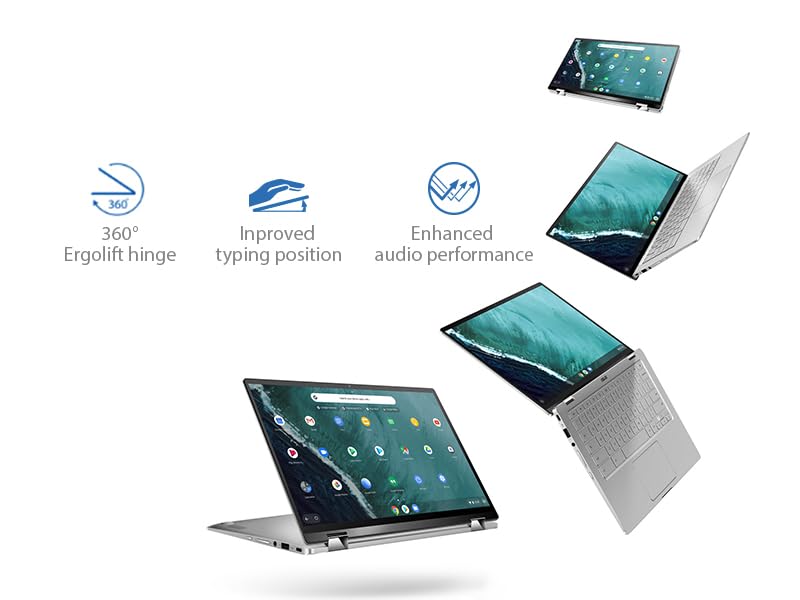
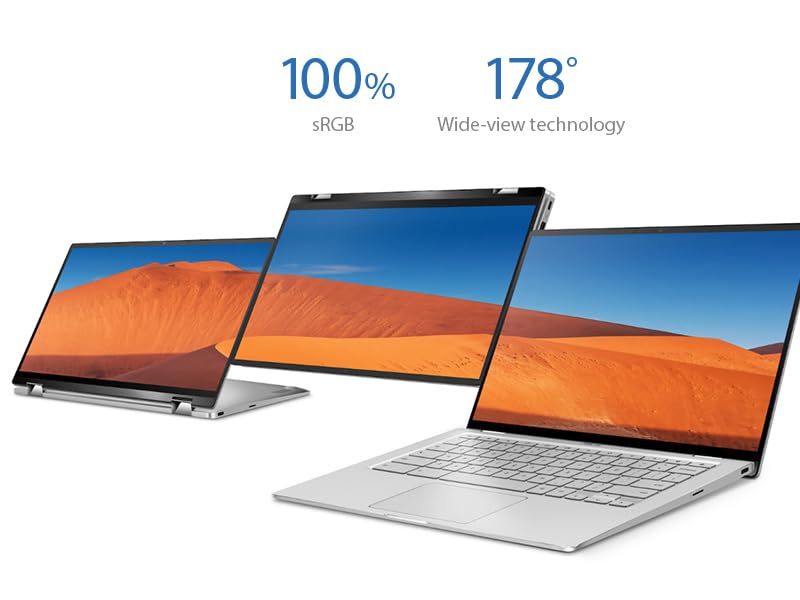
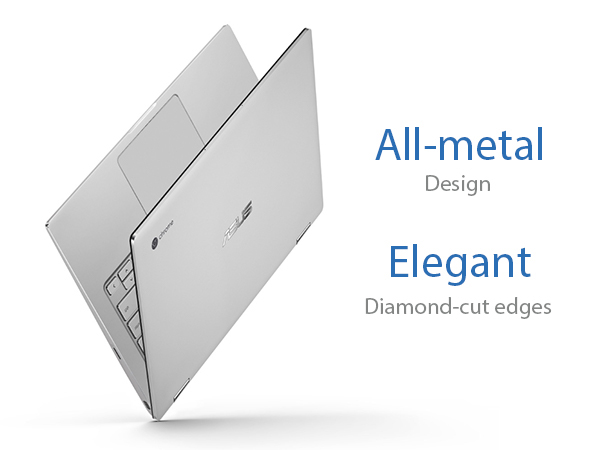
The ASUS Chromebook Flip C434 is a premium 2-in-1 laptop featuring a 14-inch Full HD touchscreen with ultra-narrow bezels, powered by an Intel Core m3-8100Y processor and 4GB RAM. Its all-metal body weighs just 3 pounds and offers a versatile 360-degree hinge for multiple usage modes. With up to 10 hours of battery life, backlit keyboard, and modern USB-C/USB-A ports, itโs designed for professionals seeking a stylish, portable, and efficient Chrome OS device.


| ASIN | B07Q2RB6BY |
| Audio Output Type | Headphone/Microphone Combo Jack |
| Audio Recording | No |
| Automatic Backup Software Included | 1-Year Free Google 100GB Cloud Storage |
| Battery Cell Type | Lithium Ion |
| Battery Life | 10 Hours |
| Best Sellers Rank | #42,311 in Computers & Accessories ( See Top 100 in Computers & Accessories ) #752 in 2 in 1 Laptop Computers |
| Bluetooth Version | 4 |
| Bluetooth support? | Yes |
| Brand | ASUS |
| Built-In Media | C434TA-DSM4T Chromebook Laptop, Power Adapter & Cord, User Guide, Warranty Card |
| CPU L3 Cache | 4 MB |
| CPU Model | Core M Family |
| CPU Model Generation | 8th Gen |
| CPU Model Number | m3-8100Y |
| CPU Model Speed Maximum | 3.4 GHz |
| Cache Memory Installed Size | 4 |
| Camera Description | Front |
| Color | Silver |
| Compatible Devices | External displays, mice, keyboards, storage devices, printers, headphones, speakers, and other Bluetooth-enabled accessories |
| Connectivity Technology | Bluetooth |
| Control Method | Touch |
| Customer Reviews | 4.2 out of 5 stars 1,676 Reviews |
| Display Resolution Maximum | 1920x1080 Pixels |
| Display Technology | IPS LCD |
| Display Type | LED |
| Form Factor | Convertible |
| Global Trade Identification Number | 00192876215647 |
| Graphics Card Ram | 1 GB |
| Graphics Coprocessor | Intel HD Graphics 615 |
| Graphics Description | Integrated |
| Graphics Ram Type | Shared |
| Hard Disk Description | Emmc |
| Hard Disk Interface | Solid State |
| Hard Disk Rotational Speed | 10000 RPM |
| Hard Disk Size | 64 GB |
| Hard-Drive Size | 64 GB |
| Hardware Interface | USB |
| Has Color Screen | Yes |
| Human-Interface Input | Touchscreen |
| Item Dimensions L x W x Thickness | 12.6"L x 8.2"W x 0.7"Th |
| Item Type Name | Chromebook Flip |
| Item Weight | 2.9 Pounds |
| Keyboard Description | Premium flagship keyboard |
| Lithium-Battery Energy Content | 48 Watt Hours |
| Manufacturer | ASUS |
| Memory Clock Speed | 1 GHz |
| Memory Slots Available | 1 |
| Memory Speed | 1 MHz |
| Model Name | ASUS Chromebook Flip C434 |
| Model Number | C434TA-DSM4T |
| Model Year | 2019 |
| Native Resolution | 1920 x 1080 pixels |
| Number Of Cells | 3 |
| Number of Ports | 6 |
| Operating System | Chrome OS |
| Optical Storage Device | No Optical Drive |
| Other Special Features of the Product | Backlit Keyboard |
| Power Device | 45-watt AC Adapter |
| Processor Brand | Intel |
| Processor Count | 2 |
| Processor Series | Core M Family |
| Processor Speed | 3.4 GHz |
| RAM Memory Installed | 4 GB |
| RAM Memory Technology | DDR3L |
| RAM Type | DDR3 SDRAM |
| Ram Memory Maximum Size | 4 GB |
| Resolution | 1080p |
| Screen Size | 14 Inches |
| Series Number | 434 |
| Specific Uses For Product | Business, Multimedia, Personal |
| Total Usb Ports | 3 |
| Touch Screen Type | capacitive |
| UPC | 192876215647 |
| Unit Count | 1.0 Count |
| Video Output | USB-C |
| Video Processor | Intel |
| Voltage | 7.7 Volts |
| Warranty Description | 1year |
| Warranty Type | Limited |
| Webcam Capability | Yes |
| Wireless Compability | 802.11b/n/ac |
| Wireless Technology | Bluetooth, Wi-Fi |
N**A
I love this laptop!!!
Iโm not a tech person so bear with me on this review.. I love this laptop! I had done some research on chromebooks after I decided to not spend tons of money on a MacBook. I am a grad student and need a laptop that would be good for word processing (I only use google docs anyways) and watching Hulu and Netflix. This laptop totally met and exceeded all my expectations and I love it. Itโs very light and thin, and fits perfectly in my backpack. I am obsessed with how there are charger ports on either side!!! I donโt use the โflipโ that much, but it is nice sometimes. I kind of forget that itโs an option but I often have to read long PDF articles and turning it into a tablet and using a stylus to highlight is pretty nice. Also, the speakers are on the very bottom which is not the best sound so if Iโm really trying to zone out and watch a movie I will flip it so the speakers are up and the keyboard isnโt between me and the screen. it sounds great like that! The speakers are actually decently loud. The battery life thing on this is amazing. It can last me all 8 hours while Iโm at school and usually can charge my phone as well. Iโve had it for about 6 months and have lately started noticing the battery life is maybe not quite as long lasting as it was when I got it, but Iโm still really impressed. Again Iโm not a tech person. I chose this laptop because of Wirecutterโs review and because my fiancรฉe said the specs looked good compared to other chromebooks I was considering. For my purposes, it works great. Itโs fast loading webpages, fast downloads, never have a problem streaming anything. Performance wise it is excellent. The only time I get slightly annoyed with it is that sometimes it drops to WiFi signal for no apparent reason. I canโt absolutely guarantee that this is because of the laptop and not my router, but it happens other places as well. Itโs not a constant problem but sometimes Iโll be doing something and all the sudden I will have no internet and i will have to click to the network settings and then it suddenly will be reconnecting to the network. It only happens maybe a couple times a week and it didnโt happen at the beginning. It should be said that with a chromebook there are a few drawbacks. There are sometimes when itโs frustrating to not be able to get the โdesktopโ version of an app/website, like Spotify. You can either use Spotify web or get the android app for Spotify, and both of these have slightly less functionality than the desktop app that you could install on a windows or PC. Thatโs just an example but yeah sometimes there are slightly annoying things about running chrome OS but overall I can do everything I need to do and Iโm super happy with this purchase. I recommend this laptop to everyone!!! Cons Speakers on the bottom, slightly muffle the sound unless you flip it. Battery life slightly diminished after 6 months of regular use Sometimes dropped WiFi signal for a couple seconds and needs to reconnect Pros Speakers are lOud Excellent battery life Touch screen works great Nice keyboard Very fast loading webpages, streaming, etc.
B**O
Great replacement for my 2015 Chromebook Pixel
Afte purchasing the Chromebook Pixel in 2015 for years I did not feel any urge to replace it; it just did everything fine, no complaints up till today, at all. However, when I read the reviews over the C434 I have convinced myself to upgrade; keywords are for me: fast laptop, enlighted keyboard (not many chromebooks have it!), good design. One more feature to move me to buy this laptop was the tablet modus -something I have always missed with my Chromebook, especially at work, when I sometimes need to use the laptop in tablet modus, doing my rounds in the clinic. My 11 inch Asus chromebook flip did the trick -but was too small, too slow to get my primary PC. The C434 delivers all the expectations; tablet mode is a bit heavy, I have found myself using it as a tablet, but in landscape mode. C343 is a bit less snappy, than my Chromebook Pixel 2015 -maybe due to less memory? However, addition of Linux apps is a great bonus; I have installed Thunderbird (as my daily mail program, also for my Exchange accounts!), Libre Office (for offline text editing and presentations) and NixNote 2 as my Evernote program (much better, than the corresponding Android apps). On the minus side: illuminated keyboard (as many time written here): too little contrast between key and enlighted space, hard to read; turning down illumination in bright spaces helps - but this is definitevely worse, than on the Chromebook Pixel 2015. All together: I have found a good replacement for my Chromebook Pixel 2015, stylish, real workhorse, tablet mode -and at an very exceptable price.
G**M
The Chromebook Evolved (almost)
I purchased the C434 very near first availability date on Amazon after highly anticipating it's arrival. I've always been a fan of Chromebooks and anxiously anticipated upgrading to this work of art (and it really is beautiful). The build quality is excellent. The screen is amazing with those wonderful little bezels. The screen is bright and responsive and is a joy to look at and interact with in almost every respect. The computer screams quality. All of that said, after about three weeks with the C434, I decided to return it and ended up purchasing the HP X360. Here are my reasons. One of the initial reviews of the C434 complained about the keyboard. The person's complaint didn't relate to the tactile interaction with the keyboard (which is good) but rather to the viewing of the keys on the keyboard (white on metal). My initial thought on this, prior to receiving my own C434, was that this reviewer must be very short-sighted to return the computer for such a minor complaint. However, he or she was absolutely correct. In the spirit of creating a very contemporary keyboard, the white letters on the aluminum keyboard results in a very difficult layout to see in daylight. I would need to tilt and move the keyboard to position my hands properly (and I type very fast by touch so this is not a hunt and peck complaint). In dim light with the backlight on, the keyboard transforms into a wonderful experience, but using it during the day was a frustration for me I couldn't get over. I was also disappointed in performance. Since I was an early adopter, I have the 4GB model with the core i3m processor. For light web surfing and simple tasks it's fine, but if I wanted to view my Google photos, for example, or use the Android version of Lightroom from the App Store, there is a definite lag in performance. I'm not sure if this relates to the 4GM of RAM or the i3m processor, but once I upgraded to the X360 (8 GB of RAM and a i3 U processor) it was an entirely preferred performance experience. So, to conclude, here is my compare and contrast of the C434 with the HP X360. Price The HP X360 seems to be constantly on sale from it's $600 list price. I got it for $450 but it can be had for as little as $399. Great value at either of these reduced price options. I was going to hold out for the C434 i5 with 8GB of RAM but I ultimately concluded that that price point would not come close to the X360 at its discounted price. Screen The C434 is brighter and much nicer and has those little bezels. This is the one aspect of the C434 I miss the most. The X360 has only a bearable screen brightness and color output as compared to the C434, but ultimately this was a tradeoff I was willing to make (although I still struggle with). Weight The C434 is about 1/2 pound less in weight and is marginally smaller. Again, I would opt for the C434 in this case but the real world difference is really not that significant. Keyboard I love typing on the X360. It's got a great feel and travel and nice backlight. The C434 was fine at night but that keyboard during the day was awful to use because of the white on metal. Performance Hands down the X360 wins. Ok , it has a fan that comes on occasionally, but it smokes the C434 with any use other than normal web surfing or simple applications. Using the X360 with the better processor and RAM is a joy compared to the C434. Also, as an aside, I have noticed that Google Play Apps seem to run better on the X360 but I'm not sure why? For example, I have an app that gives me notifications and when I clicked on the C434 it would not take me to the App but I have no problem at all with the X360 properly behaving in this regard. Conclusion If you want a stylish Chromebook and your needs are limited to web surfing and light Applications, go for the C434. If, however, performance is at all a concern and you plan to do some work or moderate play, I would opt for the X360. Both are wonderful machines in their own right and it's a pleasure to see the evolution of the Chromebook.
B**L
2 Out of the box failures for Asus
I have learned my lesson with Asus products, specfically this Chromebook. I did my research and it has had good reviews. I have had a Samsung chromebook for several years and it was time for something new. The first indicator came when I went to run through the intiatial setup. I had charged the battery for over 3 hours to ensure a full charge before i started. First promp:connect to your WIFi. No issues. Next enter your Email and Password. As i was typing my email address, the backlite keyboard and the screen went blank. so I hit the power button and return back the prompt for email. I start typing again and the keyboard and screen go black... then the screen returns, I keep typing . this happens at least 3 more times. I then decide to to a hard reset and a power wash thinking that might correct the problem... nope that didnt do it. SO I box it back up and send it back to amazon using thier instructions. After a week they still have not refuded my money even though the tracking from UPS says they have recieved it. In the mean time i decide that the out of the box failure was a fluke. So I order another one... It arrives and I go through the same process and strangely the exact same thing happens. Typing the email address to setup, the screen fades in and out. I decide that maybe it something with the setup routine... After and hour of struggling with this simple routine of setup I get to a point that i can use the chromebook. Selecting items from touch screen or using the touch pad seems to work great, Once i have to key anything in using the keyaboard the screen goes black and the keyboard lighting goes black. Could be in an email or at the google search prompt, or a spreedsheet. I even try to determine if it is a specfic key that causes the issue. THere is not pattern. So after two out of the box failures Im done with ASUS.
R**S
A great Chromebook!
I waited for 3 months for this beauty to become available after the CES 2019. As soon as it became available I ordered it. I wanted to compare it to my Pixelbook. (At twice the price or more). One of them could stay and one would have to go. Update: after more testing and comparison, I did the PB and decided to keep the C434! The C434 is a beautiful piece of hardware. Its aluminum finish is perfect. The screen is excellent compared to the Pixelbook it is not quite as bright and brilliant but very close. This is a widescreen versus the 3:4 on the PB. Looks good, better for movies, a bit awkward for use as a tablet. The keyboard is excellent. I'd call it a tie with the PB. Backlighting on the keyboard is good but n daylight it's better to turn it off as the letters on the keys are very hard to read. Trackpad smooth, again a tie. Weight goes to the Pixelbook which is about a pound lighter. Storage, even though the Asus has a micro sd card slot, the PB with 128 or 256 gb of internal storage gets the nod. Chrome seems to deal with internal storage more easily than the external card. Sound very nice for a laptop. Much better than the PB. Ports, they both have 2 USB C but the Asus adds a USB A 3.0. Advantage Asus. It was a very close call, but I decided to keep the PB for a while longer. I bet I'll order the Asus within the next year though. Maybe with a larger HD and a faster processor when available.
G**T
New Chromebook - Chrome OS User
The Asus Flip 434 is my first venture into Chrome. It's my first ever laptop/notebook computer as well. The main reason I purchased this model is because I'd read reviews of a previous model by Asus - the Flip 302. It was always highly rated. I also own an Asus AIO desktop PC which has been great. I am not a power user by any stretch but I think this model will offer plenty of bang for my intended usage.I run a new non-profit chapter of a national organization where all technology is online and in the cloud. I don't particularly like using a laptop computer so I've already purchased an external monitor and BT Logitech keyboard. Such a huge difference for me. As for the Chromebook itself; in my opinion it's a premium product in all regards. The build is excellent and it seems/feels/looks like a much more expensive product. Even though it's only 4mb of ram I think this will be plenty for my use. I especially like the screen. It's bright and has very slim bezel. Just looks right.You might be asking why did I buy a laptop when I don't really like them. The reason is because I will on occasion need to take it on the road or to a meeting. I will also use the flip screen at times to show charts, graphs, videos, etc.to prospective donors. I'll also use the 434 Flip at fundraisers when I can hook it up to a projection system. The photo above is my temporary setup as of yesterday to try the new external monitor and keyboard. BTW - my KB isn't a Chrome specific type. I also purchased an inexpensive external 2TB hard drive. Plug & Play simple. I've also connected an HP Officejet Pro printer wirelessly. No problem at all setting that up. The BT connections for both the KB and mouse were a snap to setup and work great. As our office expands I will probably purchase a ChromeBox or two. Chrombooks and I'd guess by extension a Chrome Box are very simple to use and work well. It's almost if you know how to surf the web you can use a Chromebook or Box. The Asus 434 Flip is very nice piece of equipment and I expect many years of service from it.
N**A
I really want to love this Chromebook more than I do...
I've been a Mac user for over a decade, but wanted to make the switch (as I've had an Android phone for several years), but hesitated on the laptop switch. I've always been curious, but never even toyed with ChromeOS, so I dove in and bought what happens to be one of the highest reviewed Chromebooks under around $600 right now. Here's what's up: SIZE Outside of the display, this is my favorite part of this laptop. While I loved the weight of the Macbook Air when it was released, I wanted a laptop that didn't make me feel like "Ah, man!" when I had to throw it in my bag to travel. I wanted something portable and light. And while there's not a huge difference in weight between the two computers, you'll notice that it's sleeker and feels smaller than maybe what you're use to. DISPLAY I don't know the specs, you can research that, but what's true is what most every review will say and that's that it is beautiful! And while there are faster computers at this price range (and cheaper) I don't know that there's a better looking screen. It's a joy to look at and use, with one major flaw that I'll keep till the end. TRACKPAD People are hatin' on this trackpad, and I don't get it. I've had a Macbook Air for almost 7 years before buying this computer and while it's noticeably a bit of a transition (i.e. seems like it takes more effort to scroll and drag), I got use to it. Even having gone back to the Macbook Air for some use, I've not noticed a large enough difference personally to consider it a deal breaker. KEYBOARD People also be hatin' on the keyboard. It takes some getting use to, but I really enjoy it. I first bought the 4GB model and out the box the light behind the keys was flickering. When I returned it and got the 8GB, it wasn't, and has been solid so far. While I'm not typing where I need a ton of light behind the keys often, I've found that when I am, it's great. No complaints. SPEED I don't know anything about processing speed or any of that, you can look it up, but I do know that 8GB of RAM is more than 4GB and that it was a noticeable difference between the computers. For a little more the 8GB it's worth it. Depending on what you're using the computer for, people say that 4GB is enough. I think coming from a Mac that had 8GB, I felt more comfortable with 8GB. CHROMEOS This is probably null for anyone who is already in the ChromeOS world, or has been, but for me, coming from Mac, it took a lot longer than I thought it would to get adjusted. Some keys are in different places, and it's more worthwhile with a Chromebook to take a few minutes to memorize shortcuts than it is with a Mac. So, again, if you're coming from a Mac, my one recommendation would be to give yourself a few days to get use to it. I think it's worth the struggle, because after a few weeks I think I'm faster on my Chromebook than I was on Mac simply because all of the shortcuts and the search bar that will search everything on your computer, in Drive, and so on. BLUETOOTH Maybe this was a slap in the face to Google, but having already purchased a bluetooth Apple keyboard and trackpad I wanted to see if they would work with the Chromebook (without having to purchase another set that would). At first it seemed to work flawless, but for whatever reason it sometimes takes for-ev-er to locate and connect to. And after doing a little bit of homework, it seems like this is an issue across a lot of Chromebooks and not specific to this computer. Just a heads up! FATAL FLAW The one reason I haven't completely settled on this computer is because of the random flickering I've experienced with both the 4GB and the 8GB model. It happens randomly, sometimes multiple times an hour. It's a bar across the screen for a split second and then gone. It's not a huge deal, but if you're going to drop hundreds of dollars on something, you don't want it to flicker like that. Other people have reported the same and believe it's a Chrome extension problem and to wipe the computer completely and see (which doesn't take long and isn't as intense as doing it on a Mac as everything is web based on a Chromebook). I did this and still have had issues. Hope this helps people in the search!
D**G
I use it as my daily driver
I have had this chromebook for three weeks now, and I have used it on a constant daily basis of about 8-10 hours per day. I am impressed by the build quality and usability. I haven't had a chromebook for a long time. I had an original Samsung Chromebook for a couple years, and back then Chrome OS was still edgy enough to not always be able to fill my needs as a student and teacher, but it was enough to get by until I got home to my desktop. Since getting this Asus c434, however, my desktop has been collecting dust. I work two teaching jobs and attend school, so I am constantly on the computer planning lessons, reading, typing documents, doing research, or just streaming Netflix or Hulu at home. Screen: I love that it is compact and light, but still packs a 14" touchscreen. I use the multi-position screen either when I'm using it like a tablet, or I'll fold the screen back and use my own bluetooth keyboard and mouse. The hinge is tight and holds the screen in any position very nicely. The colors are good, and movies are clear and crisp. The touch panel works smoothly, and I find myself using my fingers almost as often as my mouse. Also, I often plug in an additional screen while I'm teaching or working, and I haven't had any issues with that at all. It just does everything automatically, and the processor doesn't get bogged down at all. Keyboard: I read dozens of reviews before purchasing this one, and the top negative comment was about the keyboard backlight making it difficult to see the letters sometimes. This is true, but the easy fix is to simply turn down the backlight when there is a lot of ambient light. Otherwise the typing is smooth. I don't love chiclet keyboards in general, but this one is not bad, even when I've typed a few pages on it. Battery: I have gone a full ten hours on this thing while just using browser tabs and typing or viewing. However, there are certain apps, like one game I enjoy playing, that drain the battery more. Even if I play that for an hour or two, I can still get 6 or 7 hours of use without a problem. Usually I just charge it once at night and then carry it with me throughout the day without needing a recharge. OS: Chrome is smooth and fast, and if like me you mostly use web-based applications like Google office, Office 365, Canvas, Blackboard, etc., then this is perfect. I also love that now Chrome can run a lot of Android apps. I run a lot of the same apps that my Google Pixel phone can run, including some games. In addition, it can now run Linux at the same time as Chrome with the simple click of a button in the settings. I installed a couple of Linux apps just to test it out, and it's pretty cool, like GIMP or LibreOffice. My only gripe with the Linux is that I can't copy and paste between the Linux apps and the Chrome/Android apps. The Intel CoreM processor seems to handle everything like a champ, whether it's having open 20 tabs with 2 screens, or playing an intense Android game. Oh, and I haven't had any issues with the Wi-Fi or Bluetooth so far. Downsides: Overall, this computer fits my needs almost perfectly. Perhaps the only glaring con I will mention is the speakers. They're really not very loud. Even at full blast it can be difficult to hear in a room with a moderate noise level. Luckily I don't need this feature very often. TL;DR: I highly recommend this Chromebook to power users of Chrome. It's features and build quality are well worth the higher price.
D**D
Nice machine, worth the price
Have had this now for a few weeks and hasn't disappointed! Once the initial charge was done that took 3hrs as recommended it was ready to use, no extra set up required. Couple minor issues-no number keypad, and its smaller size takes some getting use to the keyboard. Battery lasts me about 3 days, very light user, don't play games or stream music so that may vary with the usage. It starts up quick as well as opening webpages. Touch pad is very sensitive, however, I like using a mouse so purchased one; do use both. Had some difficulty setting up to print though, unless you have a cloud ready printer that will pick up automatically it still is possible. I found some helpful videos and use our current laptop as a printer server, very easy to set up. Overall very happy with it.
M**4
No power adapter for outside US
I purchased this laptop through Amazon Australia, and it shipped from the US with a US power adapter, which is useless in Australia. This should be on the listing somewhere to state that it is a US power adapter only, or there should be an adapter included with the unit.
R**Y
Very Good, not great
This is a very solid and well built chromebook, the screen is great and the keyborad travel is also very good and feels great to type on, having said it's not without its issues. 1: the USB-C on the right side stopped working after 2 mothns, ASUS customer service in Canada is atrocious, I will have to send it do the US for Warranty repair and be without the unit for up to a month, also, I have to pay for shipping and shiupping labels, I might just pay the $90 for a local repair 2: The track pad is not glass and thefore not great, it just seems unreponsive sometimes or not sensitve enough it's ok but not up to par. 3: The micro SD card sticks out too much when inserted and often gets inadverntley dismounted and I get a warning notification. You learn to be careful with it.
S**T
Awesome chromebook but a wee bit on the heavy side.
This is an awesome laptop/notebook. Works as expected. The weight was a big surprise. The sound sounds great too! I bought this one so I could bring it along with me where ever I go plus watch movies from Netflix/Amazon without the "black" bars I was getting with my nexus 9. I thought it was a good time to buy one of these as the price dropped from approx $800+ down to $699. I'm a little miffed/hurt though as it continued to drop an additional $150. Sad :( I wish there was a price drop policy I could take advantage of this time. I'm ok with $30-50 etc type drops but $150 price drop so shortly after me buying it has me a little miffed. It is too much of a bite off my buy price that its too hard to chew on, if ya get what I mean.
M**H
if you've never used Chrome operating system before you'll be annoyed.
Forgive me for this but as much as I do actually feel like a queen while holding this, my typing is slow because instead of caps lock there's a search button... which I'm getting overly annoyed with. The keyboard on the back when its in tablet form freaks me out. I also have never experienced a chrome operating system before and its messing me up severely. I couldn't figure out how to change the wallpaper for like 2+ hours with help from 3 different people hahaha. I actually bought it originly for the camera for video calling but the camera actually SUCKS HARD. I've also run into a snag with trying to get my Webcam to work on it... its not showing up no matter where I go or what I do. Which brings me to the settings, there basically are none. And personalization is resting at a mere 0.0001% with only being able to alter the wallpaper.... (after much ado) Sorry not the best review. I like the computer. I do. I just can't use it yet and its making me crazy. I love how it feels, the weight is really nice actually, everything is so smooth and the keyboard is spectacular. Touch screen works well and the volume is immaculate. I just feel all of a sudden computer illiterate... there's not even a delete button.... I'll figure it out and when I do (eventually) I'll come at you with a better review. All in all its a good item for sure. It is definitely quality. Aside from the camera of course, which is SUPER disappointing. Oh and people keep saying the light sucks in the keyboard... not for me.... And I can ... maybe... see where they're coming from with the white symbols on the metal... but I don't find it remotely an issue. . I mean, as long as you're in arms reach to type you shouldn't have a problem haha I don't see a reason you'd need to see them otherwise so....
Trustpilot
2 months ago
1 day ago