Desertcart purchases this item on your behalf and handles shipping, customs, and support to USA.
๐ Elevate Your Office Game with Effortless Efficiency!
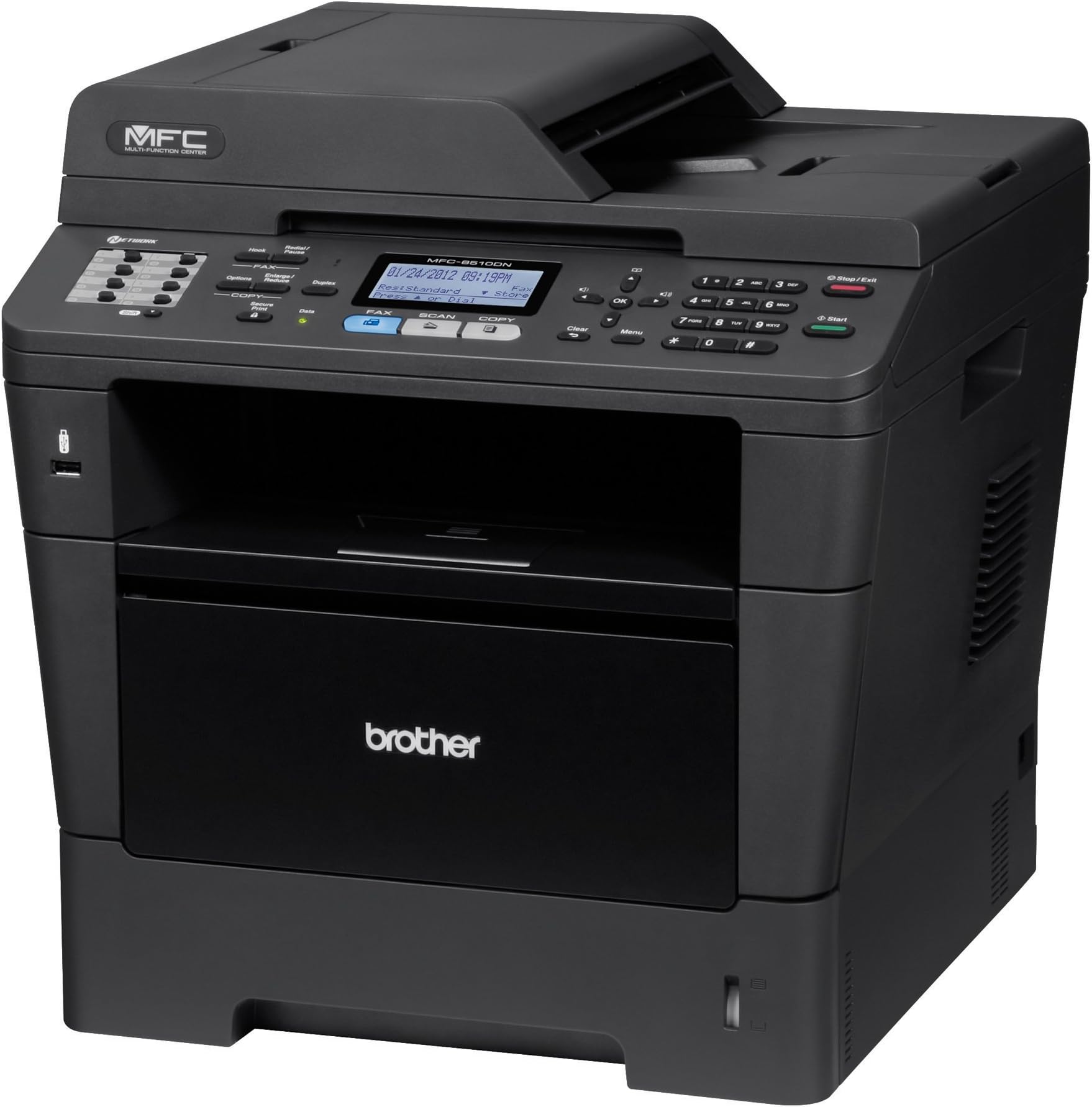
The Brother MFC8510DN is a multifunction monochrome printer that combines printing, scanning, copying, and faxing capabilities. With a robust print speed of up to 38 pages per minute and automatic duplex printing, it ensures high productivity. The printer features a 300-sheet paper capacity and a 35-page auto document feeder, making it ideal for busy office environments. Its built-in Ethernet and Wi-Fi connectivity allow for easy integration into your network, while the Amazon Dash Replenishment service guarantees you never run out of toner.
| Duplex | Yes |
| Dual-sided printing | Yes |
| Ink Color | Black |
| Resolution | 1200 x 1200 |
| Number of Trays | 1 |
| Control Method | App |
| Controller Type | Vera, Android |
| Print media | Paper (plain) |
| Scanner Type | document |
| Maximum Copy Speed Black and White | 38 ppm |
| Display Type | LCD |
| Compatible Devices | Laptops |
| Printer Type | Laser |
| Additional Features | Auto-Document Feeder |
| Printer Output Type | Monochrome |
| Item Weight | 34.8 Pounds |
| Paper Size | 8.5 inch x 11 Inches, 8.5 inch x 14 Inches |
| Maximum Sheet Capacity | 850 |
| Media Size Maximum | 8.5 x 14 inch |
| B&W Pages per Minute | 36 ppm |
| Color Pages per Minute | 38.00 |
| Wattage | 651 watts |
| Is Electric | Yes |
| Power Consumption | 651 Watts |
| Hardware Connectivity | USB |
| Number of Ethernet Ports | 1 |
| Connectivity Technology | Wi-Fi |
| Color | Black |
M**T
Great Machine when Utilizing All Available Tools
The detailed review below focuses on the Scan to E-Mail feature primarily. The printer and copier performs very well in our small office environment. We do not use the fax feature. In my personal opinion, Brother makes the most cost efficient and dependable laser printers.I did a lot of research on this machine before purchasing. The big thing I was looking for was a machine that was able to Scan to E-mail via an SMTP server. I'm not a fan of Scan to PC options as they are often clunky and erroneous. All manuals pointed to this machine being able to do just that. As an experienced IT professional, I first dove into the settings of the printer via web browser and was unable to find the options for scanning to e-mail. Then I looked on the printer Control Panel itself and was still unable to find the proper options. I looked to the manual and noticed that the manual did not match up to my settings. So I updated the firmware. Still my options were different than the manual. I decided to try out the Scan to PC option. Like with other Scan to PC software, it was erroneous. I determined this was caused by the company PCs being on both wireless and wired networks at the same time. I did not want users to disable one of their connections every time they wanted to scan. So after about an hour of tinkering around I decided to call Brother Support. They were very helpful and told me that I needed to install a supplemental firmware to the machine to get the Scan to Email server option. The name of the tool I had to install was Internet FAX / Scan to E-mail Server/ Fax to Server / LDAP Install Tool. The latest version is available on Brother's support page. I did so and now my options matched the manual. Now I am scanning to e-mail with ease! NO PC REQUIRED! I am perplexed as to why Brother would not include this option out of the box but I am not docking a star because after speaking with support I noticed it is listed in the fine print of the manual that you do need to install the supplemental tool for those options. Totally on me for not reading everything thoroughly.TLDR; This is a good machine out of the box. It becomes a great machine when you install all available supplemental tools.
K**T
Fast printing, great quality
It's been a long time since I owned a laser printer, but considering the printing demands my wife has for home schooling, her Girl Scout troop, Ladies' Auxiliary, etc, our inkjet printer just wasn't cutting it for the volume. I could have gone for a cheaper printer than this one but I was looking for these features:1. Wired network connectivity. - Wireless also wasn't cutting it. Our inkjet constantly dropped off our wireless network and had to be restarted. Complete pain. I also didn't want to tie the printer directly to any one computer.2. AirPrint compatibility - We have a lot of iOS devices in this household and many of them need to print. AirPrint support on this printer is...good. I hesitate to rate it better than that because while it works flawlessly while the printer is awake or in normal sleep mode, if it is in Deep Sleep mode, iOS 7.1 devices can't wake it up. iOS 6 devices can. I opened a case with Apple because of this and they are investigating. For the time being, the workaround is to set the sleep time to 90 minutes and manually wake up the printer by pressing one of front panel buttons before you want to print. Once done, the AirPrint works absolutely perfectly for 7.1 devices. EDIT: ****** THE ISSUE HAS BEEN RESOLVED IN THE NEWEST VERSION OF IOS. IT WAS AN APPLE ISSUE, NOT BROTHER. *******3. Cost savings. - The ink, even black ink, for my inkjet was draining my bank account dry. High capacity toner cartridges for this printer, however, are cheap and deliver up to 8,000 printed pages or more depending on how wild you go with the text and images. Also, two sided printing is by default so you save on paper without having to think about it.4. Speed. - This thing is blazing fast. Close to 40 pages per minute at quality.AirPrint issue aside, I'm still very happy with the purchase. It has a huge paper tray so I don't have to refill so often, and that's nice too. I would have gone for HP but those things are NOT what they used to be. I had a LaserJet IIIp that lasted for a decade and I only changed toner twice in it. These days, HP produces junk. Brother seems highly rated all around.
M**H
Way better than my old HP
It's been a little over a month since I received and set up the Brother 8510DN1. It prints quickly even after being in sleep mode all night2. It was very simple to set up and connect to my computer3. The copy, fax and scanning features are simple, quick and so far excellent quality4. Compared to the HP pos I had before, it is so quiet (yes it still does make noise as any piece of equipment will)5. When not in use, this unit is completly quiet6. Much smaller in size compared to the HP (a little over 12" on each side)7. Removing/ replacing the cartridge is easy and takes under a minute to do8. Only accepts 8.5x11" paper, which is perfect for what I use this for but others might want a unit that accepts legal size paper too9. Wish the scanning feature could be changed a little bit so there's less work for me to do once it's saved to the file folder10. Scanning has also been in great with colour or B&WOverall this has been the best decision since switching from HP, I would highly recommend for home use or for office use (which is what mine is used for).
K**R
Fine machine and good deal but...
it's noisy! Keep the copier close to working space and it makes a lot of noise but it beats not having one! My last brother worked so hard for so many years I hated to get rid of but the roller drawing paper into machine wore out! This printer is not as well made as the last one I had and others in higher price range are the same...cheaper material and more likely to break. Come on Big BROTHER put some quality back into your products!
Trustpilot
2 weeks ago
4 days ago