Buy anything from 5,000+ international stores. One checkout price. No surprise fees. Join 2M+ shoppers on Desertcart.
Desertcart purchases this item on your behalf and handles shipping, customs, and support to USA.
๐ Elevate Your Home Network Experience!
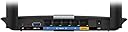
The Linksys EA6350 Wi-Fi Wireless Dual-Band+ Router is a certified refurbished powerhouse, featuring USB 3.0 and Gigabit Ethernet ports for rapid data transfer and streaming. With smart Wi-Fi capabilities, you can easily manage your network, prioritize devices, and ensure safe browsing for your family. This router combines performance and reliability, making it an essential addition to any modern home.
| ASIN | B00QR6UR2W |
| Antenna Location | Home, Multimedia Streaming |
| Best Sellers Rank | #114,309 in Computers & Accessories ( See Top 100 in Computers & Accessories ) #2,451 in Computer Routers #12,935 in Renewed Computers & Accessories |
| Brand | Linksys |
| Color | black |
| Compatible Devices | Monitors, Routers |
| Connectivity Protocol | Ethernet, Wi-Fi |
| Connectivity Technology | Wireless |
| Control Method | App |
| Controller Type | Vera |
| Customer Reviews | 4.0 out of 5 stars 289 Reviews |
| Data Transfer Rate | 2.8 Gigabits Per Second |
| Frequency | 2.4 GHz |
| Frequency Band Class | Dual-Band |
| Item Weight | 17.67 Ounces |
| LAN Port Bandwidth | 10/100/1000 megabits_per_second |
| Manufacturer | Linksys |
| Maximum Upstream Data Transfer Rate | 867 Megabits Per Second |
| Mfr Part Number | EA6350-RM |
| Model Name | B00QR6UR2W |
| Model Number | Ea6350 |
| Number of Ports | 3 |
| Operating System | Linux |
| Other Special Features of the Product | One (1) USB 3.0 Port, Smart Wi-Fi apps: A growing suite of apps offers improved opportunities to control one's home network |
| Security Protocol | WPA2-PSK, WPA3 |
| Special Feature | One (1) USB 3.0 Port, Smart Wi-Fi apps: A growing suite of apps offers improved opportunities to control one's home network Special Feature One (1) USB 3.0 Port, Smart Wi-Fi apps: A growing suite of apps offers improved opportunities to control one's home network See more |
| UPC | 745883681709 |
| Wireless Communication Standard | 2.4 GHz Radio Frequency |
| Wireless Compability | 2.4 GHz Radio Frequency |
D**R
A terrific router for an unbeatable price!
Before I begin the review, here's a little background on me and why my opinion on this device is worth listening to: I am a computer science guy who has set up networks for the US Department of Energy. I have a degree in networking, as well as various certifications. Suffice it to say, I am experienced with setting up networks - both on the enterprise and home level. I have a network of seven computers in my home, hard-wired via CAT6 cables, and I also have numerous other devices (Xbox One, Wii U, Nintendo 3DS, iPad Mini, etc.) connected via wireless. Since this is fairly complex for a home network, it's crucial to me that I have a solid router as the backbone of this setup. I previously had a Linksys wireless N router, which served me well for about two and a half years, but it finally died, so I decided to upgrade to wireless AC when purchasing a new router. The router itself is fairly standard fare as far as the actual hardware - you've got four gigabit LAN ports, one gigabit WAN port, and two non-removable (but adjustable) antennas on the back of the device. The antennas on the back of the router feel a little cheaper than I'd like, and I wouldn't want to adjust them frequently or place the router in an area where my toddler might play with the antennas. That said, if you're like me, you'll probably just adjust the antennas once and put the router somewhere relatively out of sight, so this shouldn't be a problem (and by itself shouldn't deter you from getting this otherwise excellent router). In addition, there is a USB 3.0 port on the router, allowing the user to easily add a fast NAS drive to their network. I didn't test the USB port, but it's nice to know it's there in case I ever wish to add more network storage to my home. Likewise, the router's software is pretty much exactly what you'd expect; if you've ever had a Linksys router before, you'll find essentially the same functionality here. The only way in which things are a bit different is where Linksys' new "smart router" interface is concerned. When you set the router up for the first time, you'll be asked to register the device with Linksys' website. Once you do this, you can access your router's configuration from anywhere by logging in to your account on the smart router site - even if you aren't connected to the network. It's a neat feature in theory, but if I'm being honest, I can't imagine more than one or two scenarios where you'd ever have reason to do this. For 99% of users of this router (or any other Linksys router with the smart router functionality), this will be nothing more than a pointless gimmick. Of course, you aren't obligated to ever use it, so it's not hurting anything. The router works fantastically once set up, and has both excellent range and terrific speeds. This is a dual-band router, and by default is configured to broadcast two networks at once - one network for legacy devices (using wireless G, for example) and another network for your shiny new iPhone, iMac, or gaming laptop with a wireless AC chip. Speaking of devices with a wireless AC card, using them with this router is a treat if you are lucky enough to own such a device. I frequently stream full HD video from my media center iMac (connected to the router via CAT6) to my iPhone 6 (connected via wireless AC), and the connection is almost shockingly fast. A full HD stream starts within seconds, and only pauses to buffer very rarely - and even then, only when there is heavy activity from other wireless devices on the network. Finally, it's worth knowing that this is indeed a refurbished router. I originally intended to buy a new router of the exact same model I'm reviewing here, but the savings offered by buying a refurbished model were too tempting for me to resist. The refurbished unit I received was in excellent condition, and came with an insert containing the default network name as well as the default username and password to configure the router. The device appeared to have been cleaned, and was in great shape - even with new protective plastic applied. It really looked like new, and I was very impressed. The warranty included with the refurbished router is only 90 days, but really, once you've set up the router and verified that it works, it's very unlikely that you'll suddenly develop any problems; routers tend to just work or not work. Also included in the box was a new networking cable (only CAT5e rather than CAT6, but for the majority of users, this won't matter) and a brief quick-start guide. I tend to stray away from buying refurbished or recertified products, but I am quite happy with my purchase of this router, especially since it was essentially half the cost of buying the same router brand new. The final word: if you're looking for a great router with the very latest networking technology (wireless AC), but don't want to spend a fortune investing in a top-of-the-line router, the Linksys EA6350 is an excellent option to consider.
M**Y
Best basic home AC router.
I bought a refurbished version of this router and the only signs of it were the packaging (no clear plastic on anything, cables were tied to themselves and no instruction manual- not that I needed one) and the labels on the bottom which have the corners slightly frayed. Other then that, everything looks and feel good. The router has been functioning perfectly since I've gotten it. It's a basic router with a 4 port gigabit switch (which operates at full speed) and just USB 3.0, not USB3.1. so it only supports 5Gbs not 10Gbs (you will never get those speeds obviously in the real world, but it means it is still twice as slow as USB 3.1). Regardless it doesn't matter to me because I have a NAS server and don't use the USB port. It has average speeds for the price as it uses an older, lower end revision of the 802.11ac standard limiting you to 300Mbits on the 2.4Ghz band and 867Mbits on the 5Ghz band. For average household use (let's say, two adults and 2.5 kids) this is, realistically, more than enough for everyone to do their thing at the same time. Sadly it means I cannot download files over WiFi at gigabit speeds, but I did only pay $50 for it, so I cannot complain. Internally it has all the standard features as every other Linksys router since the early 2000s updated to match today's security standards + "Smart WiFi" which is supposedly a cloud based remote control of your router? But you could always do that by opening a port and enabling access from a non local IP on older Linksys routers so this is really a Cisco gimmick which I do not use. Security wise it offers all the common modern day access security protocols as well as a basic firewall, port forwarding, and MAC filtering. It has a WPS button on it, but I disabled that since I don't want people touching my networking equipment. It also has the ability to create a guest network, pretty standard these days, but handy none the less. One very nice and slightly less than standard feature that is has though is QoS (or as they call it "Media Prioritization") which lets you set bandwidth priority to devices and even specific applications which are connected. It also has built in support for DDNS, which is nice, I suppose. Somewhere in there, there is also parental controls, however since I never used them I have nothing to say about them or how they work. It is kind of a shame that these are all the feature it supports as hardware wise this little baby could support much more, but Cisco had a nasty habit of crippling their "Home" products to force you to buy their "Business" line. This makes it all the more saddening that this router does not support DD-WRT at the moment. Last thing to note is that this router does support IPv6 (though if you are running a VPN at home you *NEED* and I can't stress that enough, turn it off.) TL;DR Great basic router for every day use in a moderate sized household (Keep in mind people that 5GHz has a much more limited range than 2.4Ghz and would be the only reason you would spring extra cash to buy AC over N) with more than enough bandwidth to satisfy the average user. It also has an easy, self explanatory interface that let's you set up your secure network quickly without confusing you with all the other stuff that it can do, and it can do everything a normal household can. Best AC router for the price.
T**0
Great performance, great price
Great deal on an AC router. This replaced a Linksys E2000 which was still working fine but outdated. Newer routers have simultaneous 2.4ghz and 5ghz bands, and the new AC standard. This router was a breeze to set up. All of my wired and wireless PC's, laptops, tablets, and phones connected to it without a hitch. Granted, I've only had it a couple of days, but very happy with it's performance. My cable modem delivers about 100-130 Mbps wired. I'm getting about 55+ Mbps in the same room and about 35+ all the way in my living across the house. Latency seems to be between 25-65 milliseconds. Built in router software has a wizard to guide you through the setup. Worked great and super easy to use. I switched all of my devices to the 5ghz band. Only negative I could find is that this shipped with an obsolete firmware. I'd have thought a refurbished product would be flashed to the latest one. I ran the update, and it's now on the latest version. No problem. You can spend $200 or more on AC routers, but unless you need every last scrap of speed, these basic AC models are a great bargain. UPDATE (5-17-16) I've had the router for several months now with little issue. I think I may have rebooted it twice in all that time. Signal is very reliable although for longer distances, I did switch back to the 2.4 GHz band for better performance. Not saying that others aren't having problems, but mine works great. I'll keep this until the next generation of routers comes out.
Y**S
Easy setup and item appears and functions as new
Easy setup and item appears and functions as new. The wifi range is not particularly good, about identical to standard 802.11n Verizon FIOS router in the 2.4 Ghz frequency. The 5 GHz frequency is blocked more easily by walls etc. and therefore range is pretty poor compared to the 2.4 Ghz. USB drive feature works great and allows you to use a usb 3 portable drive as a NAS.
S**Y
So Incredibly Easy to Set Up!
This was so easy to set up that I sabotaged myself by thinking it would be harder. I unpacked the router, plugged it into my modem, it blinked then the light went solid. A default network name and password are on a sticker on the bottom of the router, so you don't have to change anything if you don't want to. All you need to do is open a browser on your phone or pc and connect to the network. You can then type in the website on the "quick start guide" and get to the router settings. (I thought it would be harder so I pulled out a cord and connected my pc to the router, like I had to do with my old router. You don't need to do that.) The settings were simple to navigate and easy to read. In a minute, I was able to turn off broadcasting- a feat I was never able to accomplish on my old router. We have a smaller house, 1,000 SF, and this covers our house fine. I purchased the extended warranty for $5 just in case, but everything is working great. My parents need a new router and I am going to suggest this one, even the technically challenged should be able to set this up and customize their network in minutes! Update: It's been a year and a half and this router is still working great. And it has no issues when we loose power- it restarts itself as soon as the power comes on.
E**T
Good overall, but the signal have poor range
I only have two days with it so far: Pros. 1. Smartwifi configuration wizard does 99% of the set up, but you can do it manually if you want. 2. Very fast, i have a PS3, Iphone 6, Samsung S4, Samsung S3, Samsung S2, Samsung S, Nexus7 connected and all of them have good response time 3. The USB fo the DLNA server works pretty good, i can stream a movie in the USB from my iphone without any problem, i also stream a movie using the PS3 and worked fine too. Cons. 1. Low coverage, my house is not big, only one level and the signal dies at the front door (the router is in a room in the middle of the house), my older router in the same place, a Belkin N300 has signal in the garage and a few feet of the street. I will try to see if its some setting on the router and update as i go.
D**S
Really Great Purchase, You can't go wrong with this!
I was kinda afraid of buying this because it was refurbished so i didn't know what exactly was wrong with this unit. but i figured for the price and what this can do i might as well give it a shot. Saw the same linksys for 120 something dollars here at amazon so i decided to go for it since it was cheap and I needed an upgrade on my router and plus it was going bad so i said hey what can go wrong. So far I'm very pleased with this purchase. I though i might have some issues trying to get this to work but everything went smoothly, connected in a few minutes got both 2.4ghz and 5ghz to work and up and running. The Firmware needed to upgrade to work with the new features but so far since connecting it to my cable modem, i haven't had any issues with lag delay or super high ping, when processing data my ping stays at a steady 50 or below at times the ping will be processing at 10. For being a refurbished unit so far i haven't encountered any issues and since I'm the only one operating at 5ghz I'm downloading at maximum performance while everyone else is still connected at 2.4ghz in my house. Couldn't be any happier and for the price i paid for I'm glad i got this Refurbished Unit.
B**S
Extremely Disappointed!!
Pros: -price seemed reasonable (bought it refurbished); setup worked as advertised; functions only so-so Cons: -runs VERY, VERY, VERY HOT!!! You can fry an egg on the underside enclosure of this thing! Green power light has already "burnt" out. Could probably burn the house down if it was close to something flammable. Other Thoughts: -would not recommend this product... Bought this in late October 2015 as a backup/spare. Plugged it in when it arrived to make sure it was working - and it was. Hooked it up about two months ago or so to enable some additional coverage in the house and it's been up and running for about six weeks. In that time, the green power light has stopped working, the router is still functioning, but like i said, it is so very hot and the connectivity is only marginal - I have buffering and frequent loss of connection issues. The 5 Ghz band is so weak it barely connects to any devices (even in the same room). I have another very old Orinoco access point still running and it performs way better than this product. Always been a Linksys/Cisco fan, but this product is not doing it for me.
Trustpilot
1 week ago
1 week ago