Buy anything from 5,000+ international stores. One checkout price. No surprise fees. Join 2M+ shoppers on Desertcart.
Desertcart purchases this item on your behalf and handles shipping, customs, and support to USA.
🚀 Elevate your WiFi game — don’t get left buffering!
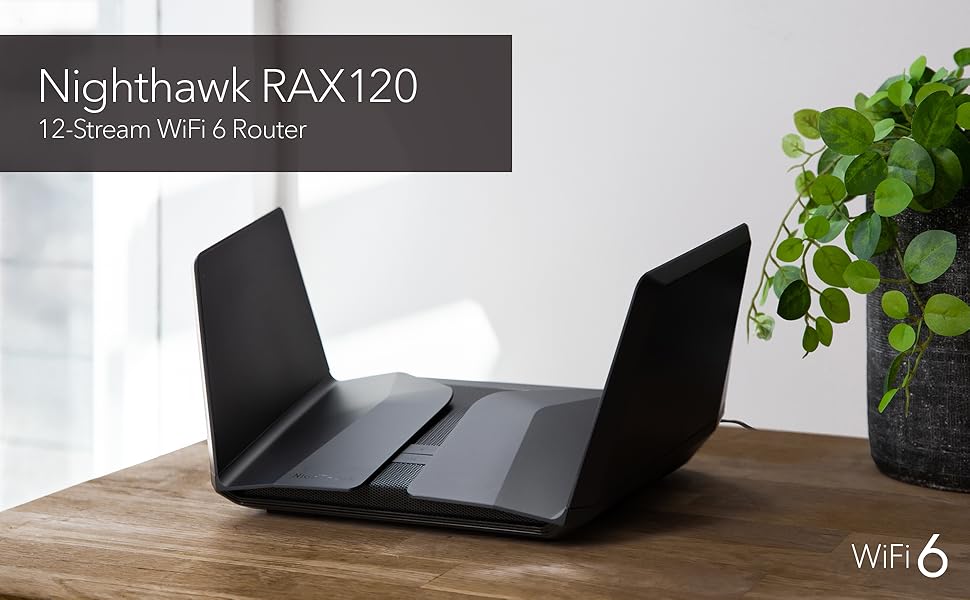
The NETGEAR RAX120 is a premium WiFi 6 router delivering up to 6 Gbps combined speeds and coverage up to 3500 sq ft. Featuring 8 high-performance antennas with Beamforming+ technology, a powerful 2.2 GHz quad-core processor, multi-gig Ethernet ports, and advanced security protocols including WPA3 and Netgear Armor, it’s designed to support multiple devices simultaneously with ultra-reliable connectivity. Ideal for professionals and tech-savvy millennials seeking seamless streaming, gaming, and smart home integration.


| ASIN | B07P3FGKYD |
| Antenna Location | Gaming, Home |
| Antenna Type | Fixed |
| Best Sellers Rank | #3,239 in Computers & Accessories ( See Top 100 in Computers & Accessories ) #142 in Computer Routers |
| Brand | NETGEAR |
| Built-In Media | Nighthawk AX12/12-stream AX6000 WiFi Router (RAX120); Ethernet cable; Quick start guide; Power adapter |
| Color | Black |
| Compatible Devices | Playstation 5, iPhone 11, 12, MacBook Air, Pro 13, Mac Mini, Ultra Notebooks, Samsung S10, S20 |
| Connectivity Protocol | ethernet, wi-fi |
| Connectivity Technology | Ethernet,USB,Wifi,Optical Fiber |
| Control Method | App |
| Controller Type | amazon_alexa |
| Coverage | 3,500 square feet |
| Customer Reviews | 3.6 out of 5 stars 4,145 Reviews |
| Data Transfer Rate | 6 Gigabits Per Second |
| Frequency | 5 GHz |
| Frequency Band Class | Dual-Band |
| Has Internet Connectivity | Yes |
| Has Security Updates | Yes |
| Is Modem Compatible | Yes |
| Item Dimensions L x W x H | 12.2"L x 7.48"W x 1.77"H |
| Item Weight | 2.1 Kilograms |
| LAN Port Bandwidth | 5 gigabits per second |
| Manufacturer | Netgear |
| Mfr Part Number | RAX120-100EUS |
| Model Name | RAX120-100NAS |
| Model Number | RAX120 |
| Number of Antennas | 8 |
| Number of Ports | 5 |
| Operating System | 0, Microsoft Windows 7, 8, 10, Vista, XP, 2000, Mac OS, UNIX or Linux, |
| Other Special Features of the Product | MU-MIMO, Alexa Compatible, Guest Mode, Internet Security, LED Indicator, Remote Access, Beamforming, Remote Access, QoS, |
| Router Firewall Security Level | Basic |
| Router Network Type | Wireless |
| Security Protocol | WPA3 |
| Special Feature | MU-MIMO, Alexa Compatible, Guest Mode, Internet Security, LED Indicator, Remote Access, Beamforming, Remote Access, QoS, Special Feature MU-MIMO, Alexa Compatible, Guest Mode, Internet Security, LED Indicator, Remote Access, Beamforming, Remote Access, QoS, See more |
| UPC | 606449134773 |
| Unit Count | 1.0 Count |
| Voltage | 110 Volts |
| Warranty Description | 1-year warranty |
| Wi-Fi Generation | Wi-Fi 6 |
| Wireless Communication Standard | 802.11ax |
| Wireless Compability | 802.11ax |
S**C
know which router to get
I chose this router to update my wifi in the house, my criteria was coverage and speed since the old router was starting to show it's age. After reading the reviews the Netgear RAX 120 was my choice, it has the coverage at 3500 sqft and the speed hit the target, an added plus was multi device usage without the lag. To address some issues I have seen in reviews. 1. Set up: From what I saw in most unsat reviews the people that were unhappy used the app to setup the router. I started with this process and quickly saw how this could be frustrating. I would HIGHLY recommend you hardwire setup with pc, it is a MUCH easier process. 2. Firestick: So far, I can start up just about all of my apps on my firestick, I do have one that gives me problems and that's my Dish app. For some reason it shuts down router and it only happens on tv's and not kindle or phone. That being said, I have only had to restart router once so far so this is a puzzle. 3. Real world performance: I have about an 1800 sqft home, the old router I had dead spots. This router performs like a rhino on steroids. Old router I could barely get a signal in the garage, now I can go across the street to the neighbors front door and still have a signal. There is no lag, since this is fast and can handle multiple devices at the same time without issue, I do not get the occasional clocking spinner in center screen. Conclusion: This is a good router if you keep it simple. I am sure other users have tweaked it to their liking but for most of us who buy product and plug it in and expect it to work this router will do. 02/23/2022 - Update: I am sorry to say I have to return this router and lower the rating. The reboot and restart reviews I have read are true and I have experienced them for myself. I am not willing to spend hours or days to try and hash out problem since I don't want to miss my return window and I don't feel like double talk. I think as a consumer that when you get something like this that it should work out of the box with little or no issues. I did set this up correctly and as I have mentioned I did it hardwired. When it works it is great but the reboots several times a day is annoying. 03/11/2022 Traded in the RAX120 for RAX70, the differences between the two are subtle. When the RAX120 worked it was awesome, the range and the speed were just outstanding. The problem with the RAX as I have mentioned is the constant reboot. I traded this in for a RAX70, this router is just as good if not better. RAX70 is a triband router and is wifi 6 however the range is a little shorter by 1000 ft, in my house I do not notice the difference. This router I have had for about 2 weeks now and I must say it is solid, no resets or reboots. I have a theory which is the RAX series 120 and 200 might have program issues but maybe heating problems too. I bring this up because I noticed when I turned on the fan permanently for the RAX120, the reboots were fewer but they still happened.
A**C
Too Many Bugs, Disappointed
I have had many Netgear routers throughout the years and had good results with the majority. My family household streams television as our primary source of entertainment and we subscribe to 500mbps of internet speed from the local cable company. About 1.5 years ago, my brother bought me the R9000 model and it was a beast until a power surge killed it. Fortunately, he purchased the warranty insurance from Amazon and square trade refunded the money in full. In 2019 I purchased a r6700 from Amazon during a lightening sale as a backup and I am glad that I did. I put this router into service when the R9000 failed and it did a fairly decent job. My home is about 3000 sq feet and the WIFI coverage was fair and it held the internet speed sufficiently enough for streaming, but I did encounter some buffering in the bedrooms. I was going to repurchase another R9000 from Amazon but the price was 100.00 more than the original price my brother paid so I decided to wait for a lightening deal special and use the R6700 until Amazon offered another deal. On February 1st, Amazon promoted a Netgear special and I came across the RAX120 at a discounted promotion. I read the reviews and was skeptical about buying it. Some of the negative reviews posted on Amazon and other competitor’s websites complained about problems with this router. Time was running out and I did not want to miss the special so I made the investment. DID I MAKE A MISTAKE!! The R6700 worked better than this piece of junk. Many customers posted problems with the wifi cutting in and out, inadequate internet speed and drop outs. I experienced them all. I had to reset this router 4 times within 24 hours because of internet disconnections from the cable modem. The wifi signal was strong on my first floor, but it only broadcasted one bar to the second floor. Netgear advertises that the wifi will cover up to 3500 sq. feet, but it did not perform in my house. The internet speed was cut in half or more and buffering was an issue. For example, I pay for 500mbps and the RAX120 wifi was broadcasting 250 mbps in the same room as where the router is located, 50 mbps on the second floor, and 30mbps in some of the bedrooms. The R6700 as cheap as it is, worked better than the RAX120 and broadcasted well over 500 mbps on the entire first floor and 250 mbps on the second floor. I am familiar with setting routers up and the firmware was updated to the most recent version. I tried different settings and I still could not get this thing to run efficiently. After researching the internet extensively looking for solutions, it appears that the firmware is very buggy for this unit and others had recommended the RAX200 over the RAX120. Netgear customer service if useless and it’s hard to interpret their customer service representatives’ accents. The waiting times are high and I do not have time to wait 50 to 60 minutes for the basic runarounds script instructions. I guess this is the reason that Amazon had given such a significant discount price on this router. I am going to pay the extra 100.00 and upgrade to the RAX200. If the RAX200 does not work then I am switching to another brand. It is terrible that the R6700 outperformed this high-priced router. I am VERY DISAPPOINTED that Netgear would release a product with such flaws at a high price and not correct the problem since it’s release one year ago. Follow up: I purchased the rax200 and what a nightmare. The original came on time and setup went well. I updated the firmware and everything appeared good for about 48 hours. The WiFi signal weakened, and the download speeds went from 500 to 35. I had to reset the cable modem and the router every couple of hours. Very annoying!! I factory reset the router and it seemed to help for a few hours then it was back to low speeds again. I have my local channels running through Kodi and the low mbps speeds caused significant buffering to the point where I could not watch television. The audio was out of synch from the slow WiFi. I tried various setting and recommendations that others had posted on the netgear website and nothing seemed to work. I attached my R6700 and everything worked like a well oiled machine minus the WiFi range. There is definitely a problem with these nighthawks. At this point I notified amazon for an exchange because I really wanted this to work because of the WiFi range. Amazon authorized the exchange and shipped out the new one. I came home from work to find the router laying on my steps, not packed in a shipping box. Man, was I shocked to see this because amazon usually mails there products in a packing box. I was shocked that they would leave a $600 router in plain view for anyone to walk off with. I have their photo of delivery as proof. I set the exchange unit up and immediately detected a strong sweet burning smell coming from the fan area when it turned on. The smell was actually making me nauseated, smelling the room up. I continued the setup and I could not get the WiFi to work. I must of factory reset the router and modem at least 10 times with bad results. I finally got the router to broadcast a signal but the speeds ranged from 15 to 60 mbps. I continued trying different settings and had no luck of getting the WiFi close to 500 mbps. The speed coming from the modem to the router hit the 500 mark but the WiFi is a sham with constant drop outs and signal loss. I do not know how others are saying that this is a great router because the firmware is very buggie. I had great results with the r9000, r6700 and other netgear products throughout the years, but this router is far ready from primetime. It is not worth spending the $600.00. I expect the cream of the crop for this amount of money but instead I got piece of junk. I am very disappointed in netgear because I really need the extra WiFi range in my household. I did as many other dissatisfied customers and returned the router for a refund. I hope others find my review useful.
M**E
Best Router I Have Ever Owned
TL;DR - it's a great router with great capability. I was surprised at the ease of use and ease of configuration. It has great range, can handle multiple devices simultaneously, and has no problems with handling access to network storage. There are a ton of bells-and-whistles options that may or may not come in handy for the average user. It is expensive for a reason but the features are well worth it. This is the best router I have ever used, period. I bought one nearly 2 years ago when they first came out and I bought another one, here on Amazon, recently. This particular one was purchased to help set up my sister and brother-in-law's home network. The setup is very easy and quick and the menu's interface is full of options. Using 2x RAX120 routers for an AT&T fiber service of 1000/1000 Mbps at sis's and Spectrum 1000/35 Mbps in my home. The router's Wi-Fi coverage is approximately 3500 ft^2 (square feet) at 100% signal strength with the ability to beam-form to devices. Power adjustment values are 25%, 50%, and 100%. It is a dual band router with 12 streams (when working with 160MHz clients) broken down as 4x4 (4x 1x1 devices) on 2.4GHz band and 8x8 (4x 2x2 devices) on 5Ghz band. It can handle up to 8 simultaneous Wi-Fi streams (again, 4x 1x1 devices and 4x 2x2 devices). I have run tests to see how it handles walls, metal plates, blankets soaking up the waves, etc and the Wi-Fi still manages to beat through most of it even at extended ranges. A direct LoS (line-of-sight) Wi-Fi connection goes to nearly 200 feet (at 100% power value). There are 5x 10/100/1000 RJ-45 ports and a single 5Gbps (5000Mbps) RJ-45 multi-gig port (1x WAN/LAN + 4x LAN @ 1Gbps + 1x WAN/LAN @ 5Gbps). One can use the port labeled "Internet" (the single 1Gbps WAN/LAN RJ-45 port) as an extra 5th LAN port if you use the 5Gbps port, labeled "Multi-Gig", as your internet service connection. There are 2 ports able to link for aggregation. To take advantage of link aggregation, you will need a device that can team 2 ports. Usually, higher-end motherboards and consumer network gear have this ability but it is rapidly dying due to the newer 2.5Gbps NICs in the last couple generations of motherboards that take advantage of AMD and Intel CPUs supporting 2.5Gbps networking. However, if you have a multi bay NAS with link aggregation, those 2 aggregate ports would help balance the load on the NAS. Also, about the single 5Gbps RJ-45 port: this would be useful if we all had 5Gbps service from our ISPs; however, there is another use. Some of the Aquantia (now Marvell owned) and Intel 2.5/5/10Gbps NICs on consumer motherboards could take advantage of that 5Gbps port to improve network traffic speeds to/from the host/client. To clarify and simplify, your home network device-to-device speeds can take advantage of this. As far as networking, this handles video streams from computer-to-device without a hitch. You can use the 2 USB 3.0 (5Gbps) ports on the router to plug and storage device to get access to the contents of the storage device from any network connected device if you are not using a NAS (Network Attached Storage). For the average person, this is probably useful for streaming videos to any client device. Supported file system types (on the storage device) are FAT16, FAT32, NTFS (both with or without compression), Ext2, Ext3, Ext4, HFS, and HFS+. I, somehow, got my 5 bay DAS (Direct Attached Storage, NOT a NAS) to be identified with all 5 hard drives detected with their own drive letters and such after configuring the access from the RAX120's ReadyShare sub-menu in the router's setup/main menu in the Advanced settings tab. Made my day as I won't need to spend more on a 3rd NAS unit. I'm getting off topic though.
K**X
Great for those knowledgeable and requiring a high end router
Works great, and has probably one of the easiest to manage interfaces ever. I have had Netgear products in the past and think they are great maybe second to only one other company. That all being said the product works without almost any involvement, I feel safe to say I could give this to my elderly mother and not need to be involved much. Though my greatest gripe is what comes with the simplicity is the lack of encryption types and some other more technical issues. This gripe can make the “Internet of things” ie older Internet-capable TVs, laptops, hard to make just work. Although, it is simply a matter of finding one that meshes with your layout. Now to the price vs value: is it worth 500$ - No. At a slightly lower rate something you can find on Warehouse deals, it is. Now that should come with an asterisk. It works great but to truly get the best performance out of this router you need to be slightly versed in networking and remember wired connections are always superior. Gather your tools DNS benchmark and some patience because to get the absolutely ideal performance you will need to test different scenarios. I would recommend this product to others and think while it’s great it is really meant for those pushing the limits of their ISP’s service via gaming, multiple concurrent connected devices, extreme and often occurring downloading or uploading. If you don’t think you will be doing that save money and go for a slightly lower end model.
E**K
Strong radio, extremely fast, with misc issues (especially for VPN users)
Purchased two of these so I can run one as a bridge to a home theater on the other side of my house. Setting the first one up was impossible using their recommended method of: 1) Install the app on my smart phone, 2) scan a QR code, and 3) going through the steps. The Android app absolutely would not connect to control panel of the router, despite my phone's wifi having connected to the router's wifi. OK, so I opened chrome on my phone, went to 192.168.1.1, and logged in with the default passwords. This brought up the control panel with little to no effort. Initial setup will greet you with series of pages prompting to change the admin password, download the latest firmware, set the SSID/PW, to register the device with Netgear, etc. It eventually dumps you on one of Netgear's advertisement websites instead of loading up the admin control panel, which is a nuisance. Fine. Just browse back to 192.168.1.1 and you should be able to access it straight away. After that, I un-boxed the second router and did the above process again. Going into the advanced settings, I was able to set it to Bridged mode and enter the necessary SSID and password, then watch it reboot. Pleasantly, it booted right up, and bridged mode just simply worked. Everything in the home theater had internet. Great! Now that the physical setup was complete, I log back on to the main router's control panel and began to configure a few things: QOS, VPN, and so on. That's where things started going south. Adding any QOS settings for devices using MAC rules (to prioritize the home file server above all the other devices, for example) caused the server to disappear from the router's connected devices list. Permanently. Even deleting the rule wouldn't bring it back, even though the server retained full internet connectivity the entire time. Ponderous, but not a deal breaker, assuming the QOS rule was actually working. Anyway... Having read that the AX12 was capable of VPN connections before purchasing, I went through several menus trying to figure out where to put in my VPN provider's connection info. Here's the rub - You can't.** You can use the preconfigured "PureVPN" service Netgear has installed, but that's it. Doing some homework revealed that PureVPN's mailing address is in China, and the company was founded in Pakistan. (Check the Wikipedia article.) NO. Not going to happen. Netgear - you really need to rethink this. Users should be able to configure OpenVPN, or at a bare minimum, a static L2TP, PPTP, or Socks connection. None of this is available at all! Routers which cost 1/10th of the AX12 have this. A feature like this missing from a flagship device like the RAX120? Shame on you. **Please don't confuse this with the other VPN settings on the router, which will allow you to configure INCOMING VPN connections - so that you can access your home network from the external world. Those settings are front and center in the control panel and seem pretty straight forward. Unfortunately, I don't want to connect to my home network from the airport. I want to be able to secure my home network's OUTGOING internet communications while I am at home. This, apparently, was barely an afterthought for Netgear. Continuing on, I went into the control panel again to disable their ReadyShare feature. I don't use it, and don't want someone plugging a malicious usb in and having bad things served up to everything on my network. Here's where another big issue occurred. Going into Advanced > ReadySHARE > Advanced Settings and disabling all ReadySHARE featured caused internet connectivity to die. Dead. Nothing I did would allow internet connectivity to resume, even enabling the ReadySHARE features again. The control panel showed there was an internet connection, and the internet light on the router never went off, so it thought everything was just fine - but nothing in my home could hit the internet. The fix was to completely reset the router, and set it up again. This also brought the home server back to the connected devices list. I guess that's good? A little gun-shy, I figured I'd try this all again, and experienced all of the problems detailed above a second time. Queue emotional music. Hero dies. Antagonist exits stage right. Another router reset performed. Fade to black. Clearly, the firmware needs work. On the bright side, I can report the following positive traits of the AX12: * The radio is amazingly strong. Dead spots in my garage are gone, and I can finally use my Riva Festival smart speaker out there without the music cutting in and out due to spotty wifi. * The network feels like it is twice as responsive as my previous setup. I have 2 Google hubs, a Nest thermostat and camera, Ring doorbell, about 12 smart lights, 2 smartphones, a laptop, a server, 2 Nvidia Shields, 2 smart TVs, and a few computers running in the house. Nothing seems to be waiting, hanging, or suffering from laggy behavior like it did on my last wifi setup. The AX stuff seems to be working as advertised. (If you told me 10 years ago that people would have over 30 networked devices in their house, I'd have laughed at you. Now look at me. *sigh*) Fundamentally, the product works to take a ton of wifi connected devices and make the network run better. It does this very well, in fact. However, if you dive deeper into the firmware, it starts to fall on it's face. Any DD-WRT based router will still perform extremely well, and cost you pennies on the dollar compared to this. I know AX/Wifi 6 is still pretty new, and these are the pains early adopters have to face. With that said, I have (had?) confidence that Netgear would have a much more polished product out of the gate. I hope further firmware revisions bring more.
V**N
New hardware. Netgear still unable to provide adequate support or keep their firmware up to date.
Upgraded from an Nighthawk X6 (R8000) to the RAX120. There are noticable speed improvements over the prior 5 year old router. Pros: Faster, longer range connectivity. Support for WPA3-PERSONAL/WPA2-AES simultaneously. Future proof for upcoming AX/WiFi 6 connections Anyone using Android Q will be able to use WPA3 ------------- Cons: Price: I only purchased this model because it was $100 off at the time. Support: Netgear support is a joke. I'm fortunate to have not been in need of it, but for those that do... good luck. Setup: WARNING this is not for beginners. The Nighthawk app is absolute trash. I bring this up because it's in the "getting started manual". You will need to login to the web interface (which hasn't changed much if you've been using a previous Netgear router. Firmware issues: I had a power outage after initial setup. All was well aside from the fact that DHCP ip address conflicts were permitted...(bear in mind that no devices were set to static IP nor did they have IP reservations. After troubleshooting the issue was resolved and hasn't occurred since. Conclusion: If, like me you enjoy playing with new tech and have the know how to deal with issues should they arrive then give it a try. Otherwise stay far away and save your money.
C**W
An indictment of the company.
I'll try to be brief. I'm a retired tech and IT professional and well versed in troubleshooting computer networks and equipment. I am shocked that Netgear continues to sell this product. I read the negative reviews, many of which are a few years old, but ignored them thinking either that the problem must be fixed by now, or in my arrogance I assumed I could resolve the issue. When it's working, the router is good, but as many other reviewers have reported, it has an annoying habit of dropping wifi signal. The transmitter is usually down only briefly, perhaps 30 seconds, but when there are dozens of devices connected to it, it's quite a pain in the neck. It's also extremely irritating to have your movie or football game die at the most intense moment while you scramble to restore the connection. Now, in my experience a problem like this is almost always a matter of the router having excessive heat. It may be poorly ventilated, with shoddy construction, but most typically the heat sink designed to draw heat away from a critical chip is not doing its job. This could be a manufacturing flaw (e.g., the heat sink has inadequate thermal paste), age (the paste has disintegrated over time) or a design flaw (the heat sink is just not adequate to deal with the chip's heat signature). If it's a manufacturing problem it can be fixed by opening the box, removing the sink, and adding new paste. But clearly the problem here is one of design, not of manufacturing. The proof is that I tried two of these routers in a row and got the exact same results. Now, it stands to reason that if the unit is overheating, one might be able to take steps to mitigate that. For example, the unit could be placed in a way to maximize airflow, and kept away from other hot equipment. Or, the settings in the firmware can be modified to reduce heat production. Well, I tried everything I could think of, but no dice. As just one example, I changed the radio transmitter settings from 100% to 25% (the lowest setting). This means the transmitter will draw less power and thus produce less heat. The problem persisted, perhaps a little less frequent. I then went in and turned off essentially every advanced feature of the router, turning into a very expensive, large, and heavy version of a low end router, but yet the problem persisted anyway. That's' when I returned the unit to Amazon and traded it for another one. Same result. Netgear used to be a great company. But if you put out an expensive high-end (consumer) product that very clearly has a design flaw that breaks its fundamental function, and you continue to sell that product for multiple years without doing anything to resolve the flaw, then whatever else you might be, you are no longer a great company. I returned the router and instead bought two ASUS RT-AX3000 units, which so far are working perfectly, and actually have a more full-featured and well designed interface. I bought two because they don't have the range of the Netgear unit, so I needed two units to match the Netgear range (the total range is actually better, and the price for two is about the same as one Netgear). I have one set up as the router and the other as an ethernet-connected access point. They don't have the cool stealth fighter look, but are about about a third the size and weight of the Netgear unit, and they work. Okay, so I wasn't so brief. Shorter version: don't be an arrogant dummy like me. Avoid this model unless and until Netgear definitively fixes the design. Edit: One clarification. Looking over the other many, many one-star reviews, I think there are a couple of different issues with these routers. Many people mention random reboots. I have not experienced this. My problem was random dropping of the wifi signal, which is not the same thing. The router itself did not reboot. It continued to be accessible via its web interface, and it continues to function for ethernet/wired devices even without the wifi. The difference between these cases is that a full reboot takes much longer to get back up and running (several minutes at least), whereas the wifi transmitter dropout problem lasts for perhaps a minute or less until the transmitter comes back. Why is this important? It's not, other than having an understanding of what is going on. The full reboot suggests either an electrical problem or the main processor is overheating causing a shut down of the entire unit. By contrast, the transmitter-only dropout suggests the transmitter chip is overheating causing it to glitch but not impacting the entire circuit board. Having two different major design problems in the same (overpriced) router suggests really poor engineering. Probably the engineering department has been gutted. The failure to catch the problem prior to manufacturing suggests the QA department also has been gutted. The horrendous customer support outsourced to the cheapest possible noisy call center in India suggests customer support has also been gutted. The only department that seems to be properly funded is for cosmetic design because these routers look awfully cool, but unless you're crazy, you don't buy a router for its looks, but for its capabilities, stability, and reliability. Update: Closing in on two years since I wrote this review, which now has nearly 100 "helpful" votes, and I can say three things: 1. Netgear has never reached out to me, so clearly they are not monitoring customer comments. 2. Netgear is still selling the same product, evidently unchanged, as the one star ratings continue to flow in. 3. The routers I put in place of this Netgear router, ASUS RT-AX3000, continue to work flawlessly, with outstanding total range and performance, and not a single drop out or reboot. What more needs to be said?
D**C
Disappointing
I needed a new router since my previous Linksys was 7 years old and provided spotty coverage in the far corners of the house. I also wanted to upgrade to WiFi 6 and better encryption and I have been working from home and want to make sure I have better bandwidth for ever more bandwidth consuming Webex calls and the like. This router was well regarded by consumer reports and most Amazon reviews although there were a few outliers I went with Netgear since that’s supposed to be a top name. Got the router and setup was pretty easy on the app. Then the trouble started. I set the Wifi to auto choose 2.4 or 5G and within an hour, the unit started rebooting itself and dropping the WiFi in the house. I got a lot of yelling when everyone’s devices went dead. This continued even after I took the automatic setting off and defaulted everything to 2.4G. Had a bunch of email correspondence with Netgear support, about 10 emails. They wanted me to do things like shut off my Fios modem, shut off the router and disengage about 40 devices I had linked to the router and start everything from scratch including a factory reset of the router. Needless to say, that was about a 2 hour ordeal and didn’t fix the problem. Next step was phone support. I was told not to plug the router into a surge protector (I have a pretty good one) since the slightest voltage fluctuation might cause the router to malfunction, hmmmmm. The last straw was that it would not link to a Dell Wyse terminal for my work network. I tried for a week and a half and finally my work tech support told me to disconnect the router and run the Ethernet cable from the Fios modem directly to the Wyse terminal and it worked ! As soon as I saw that, I got in touch with Amazon for a return. I was reluctant to do that because I did not have the original packing anymore. They said no probs, take it to UPS and they’ll pack it up for you. Fantastic ! I had 2 days left to go on my 30 day return period. I purchased myself an Asus unit, hooked it up this morning and it works great. Took 10 minutes and no dropouts. I would have given the rating of 1 but I really do like the router. The looks are cool and when it works, it's very fast and the house coverage is like nothing I've ever seen. But to have dropouts once or twice every day was unacceptable and the Wyse terminal issue was a no go for me.
C**L
FANTASTIC | Solved My Virgin Super Hub 3 Slow WiFi Issues
This review is for the Netgear Nighthawk AX12 12 Steam AX WiFi Router (Model Number: RAx120) MY BROADBAND PACKAGE: Virgin Media Fibre Optic Cable. 220MB Download and 20MB upload broadband plan. Using Virgin SuperHub 3. MY HOME SETUP: Large 4 bedroom detached property (very wide) over 2 floors (No brick internal walls). Furthest internal point in house, from the router is approx 15 meters. I have approx 15 devices connecting to the WiFi network. THE VIRGIN SUPER HUB 3: The only time I ever received Virgin’s advertised upload and download speeds was when I connected my MacBook Pro directly to the router using an Ethernet cable. Great - if you don't mind cables running all over your house. The WiFi was horrendously slow 90% of the time - I was often getting download speeds of just 20MB and that was in the same room as the router. In other rooms or upstairs the WiFi signal would degrade further still, to the point that it was often unusable - frequently I would get faster downloads using 4G (on my iPhone Pro Max). I tried all the usual stuff - turning the router off and back on again - turning off the mobile devices and laptops - and resetting the router back to factory settings. Even resorted to tweaking the router settings, to no avail. Occasionally, the router would give me a faster WiFi connection when turned off and back on again (maybe reaching 70MB) and then within minutes or a couple of hours it was back to the usual slow speed connection. I tried WiFi extenders etc.. nothing seemed to work, and as I work from home, I would end up using ethernet cable during the day to ensure I had a fast and constant reliable connection. Fed up with the slow WiFi and having an ethernet cable running over 10 metres to the study I started to research the Virgin Super Hub 3 router online. If only I had done it sooner. The reviews for it are terrible (and that's from official reviewers - not your average lay person). In view of this and already have spent a small fortune on other devices (extenders etc) I started to look at reviews for the NETGEAR Nighthawk router. Initial reaction was expensive, but the reviews for it were generally very good. Having had enough of my current unworkable setup, I decided to purchase the router. THE NIGHTHAWK NETGEAR ROUTER REVIEW: Arrived within a couple of days via Amazon Prime. Downloaded the app to my iPhone, launched it and followed the step-by-step instructions to complete the router setup. It was an absolute breeze. I had the new router up and running within half an hour of getting it out of the box. Note: If you're using the Virgin Super Hub 3, you will need to change the Super Hub 3 from "WiFi Mode" to "Modem Mode", before you start setting up the Nighthawk router, which can easily be done within the router's settings. During the set-up, you're asked if you want to keep your existing Network SSID and Password... Select "YES" as this means all of your existing devices will automatically connect to the new router (once set-up), otherwise you'll have a New SSID and Password, which you’ll have to set-up on every device you wish to connect to the WiFi. This worked perfectly for me. Post setup, all of my existing devices connected perfectly. Note: The 5G network has shorter range but faster connection, whereas the 2G network has further range but slower speed connection. I managed to get all of my smart devices (TV's, mobile phones, iPads) to connect to the 5G Wi-Fi network without any issues or signal drops anywhere in the house. There are 5 ethernet ports on the back of the router, which I also used to connect some devices (e.g Lounge TV, and PS4). Here's THE BEST BIT ... THE SPEED... WOW - this has totally blown my socks off!!! Most of the devices are connecting to the WiFi at almost full speed (220MB download) most of the time. In the furthest corners of the house I can still gets signals as fast as 210MB. I'm totally impressed and wish I'd bought this sooner. The Nighthawk Phone App is great. It allows you to see all of the devices connecting to the network either via WiFi or wired connection. You can 'pause' internet to individual devices if you like. You can also check the internet upload and download speed between your Router and ISP, which is handy. You can also turn on a "Guest WiFi" network if you wish to give house gets access to WiFi but not 'your' personal WiFi. There is also a traffic meter, if you wish to track how much data you're using . IN CONCLUSION: This router isn't cheap, in fact it's one of Netgear's most expensive. It does however have the latest WiFi standard (WiFi 6 aka "AX") which the latest iPhones, Samsung Devices, iPads can make use off. It is also backward compatible with all previous WiFi standards. It is quick and easy to setup and doesn't require any technical knowledge. Most importantly is the WiFi speed which I've been completely amazed with. You might also be able to get great results with other cheaper Netgear Routers (I didn't want to take the chance based on the amount I'd spent cumulatively on other products trying to sort my poor WiFi signal), however, I can wholly recommend this router if you have the budget, want ultra-fast WiFi speeds, and are looking to ensure any new smart device purchases can make use of the very latest and fastest WiFi.
D**S
Nighthawk AX12 - great product!
Was using a wireless router provided by our ISP. Needed something faster, more reliable, and that reached further. This router met all my needs. Also very important because of all the devises we have, including smart lights that each connect to the router. Was an amazon warehouse bargain. Product was great shape, and damage was as disclosed. Would highly recommend the product, and buying an amazon warehouse deal.
B**Z
Ultra high end Product.No fuss.install and forget
Extremely good connectivity..no uptime conflicts.extremely great throughput..got two of them
F**S
يعيد تشغيل نفسه
اعادة التشغيل عدة مرات في الساعة الواحده!! تم الإرجاع بعد استخدام يومين فقط
A**E
Wow!!
Fácil de instalar el doble de velocidad
Trustpilot
2 months ago
3 weeks ago