🚀 Elevate your workspace and gaming den with ultra-vivid clarity and smooth visuals!
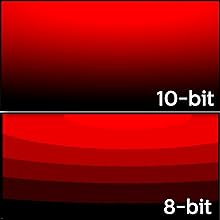
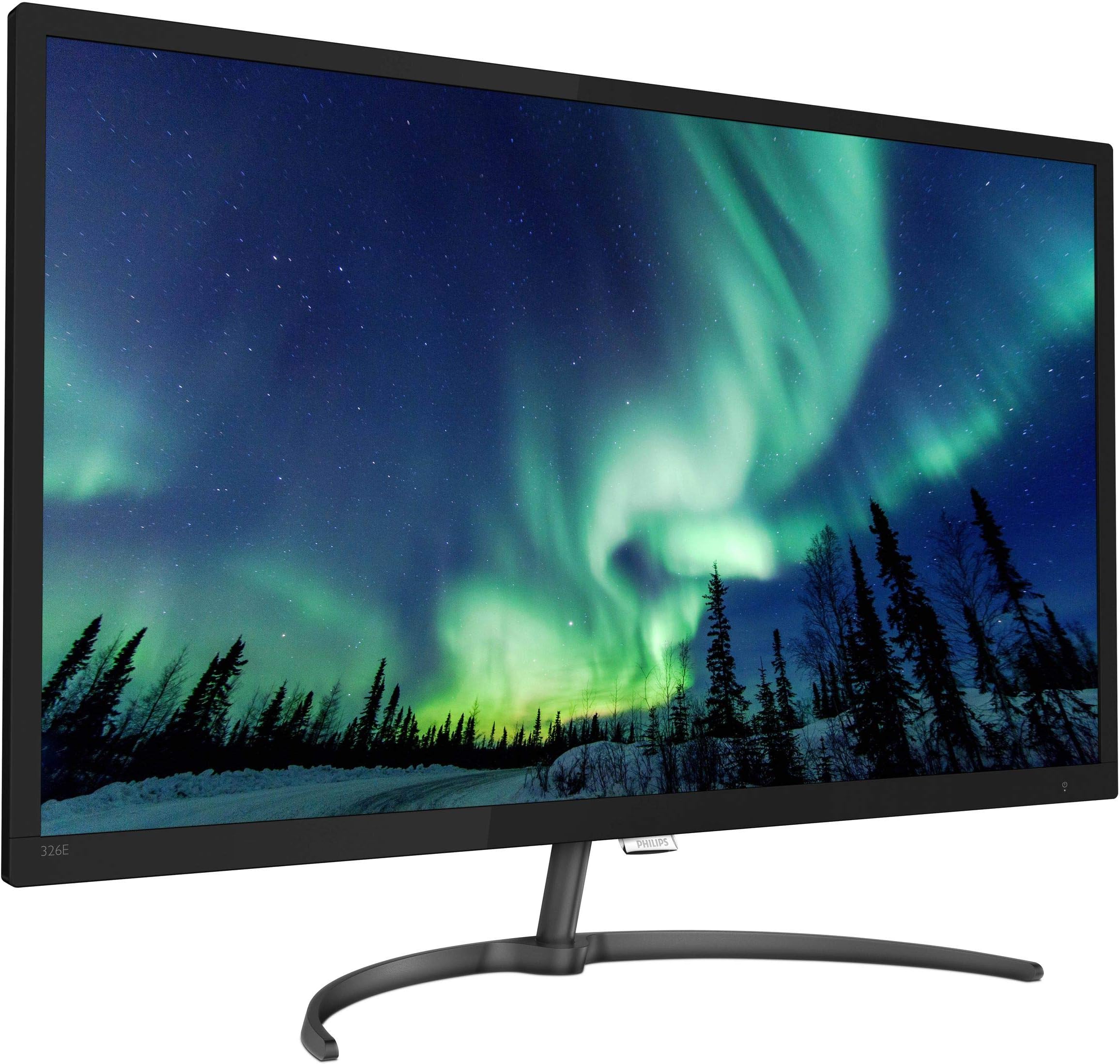
The Philips 326E8FJSB is a 31.5-inch 2K QHD VA monitor featuring a 10-bit panel capable of displaying over 1 billion colors. It supports AMD FreeSync for tear-free gaming, includes eye-friendly flicker-free and LowBlue modes, and comes with a 4-year advance replacement warranty, making it a reliable and vibrant choice for professionals and gamers alike.


| ASIN | B07KQXJLF8 |
| Adaptive Sync | FreeSync |
| Additional Features | Blue Light Filter, Flicker-Free, Tilt Adjustment |
| Aspect Ratio | 16:9 |
| Brand | PHILIPS |
| Brightness | 250 cd/m² |
| Built-In Media | Cables, D-Sub cable, HDMI cable, Power cable, Monitor with stand, User Documentation |
| Color | Gunmetal |
| Connectivity Technology | D-Sub, DVI, DisplayPort, HDMI |
| Customer Reviews | 4.0 out of 5 stars 164 Reviews |
| Display Resolution Maximum | 2560 x 1440 Pixels |
| Display Technology | LCD |
| Display Type | LED |
| Global Trade Identification Number | 00609585252578 |
| Hardware Connectivity | DisplayPort, HDMI |
| Item Type Name | LED monitor |
| Item Weight | 14.9 Pounds |
| Manufacturer | ENVISION |
| Model Name | E8 Series |
| Model Number | 326E8FJSB |
| Mounting Type | Wall Mount |
| Native Resolution | 2560x1440 |
| Picture Quality Enhancement Technology | AMD FreeSync™ |
| Pixel Pitch | 0.273 |
| Power Consumption | 51 Watts |
| Refresh Rate | 60 Hz |
| Resolution | QHD Wide 1440p |
| Response Time | 5 Milliseconds |
| Screen Finish | Glossy |
| Screen Size | 31.5 Inches |
| Screen Surface Description | Glossy |
| Specific Uses For Product | personal, gaming, business |
| Total Number of HDMI Ports | 1 |
| UPC | 609585252578 |
| Viewing Angle | 176 Degrees |
| Warranty Description | 4-Year Advance Replacement Warranty, 4-Year Parts and Labor |
G**S
Nice 32 inch 2k with VESA mount
There are 2 different monitors being reviewed here, the 27 inch 4K and the 32 inch 2K. Why do they do that? I have the 32 inch 2K. You can read the reviews about the monitor quality - very nice monitor with good color, sharp text and brightness. I had an ACER 28 inch 4K, but never got it adjusted like i wanted. I gave that one to my son and now this one more than meets my needs. I saw that it had VESA mount holes on the back, which the 27 inch apparently does not. I wanted to mount it with a floating arm and it seemed like a good choice since it is less than 15 pounds. In order to use the mount, I had to remove the stand which required us to remove the whole case from the screen. Fortunately, my son had experience with this. We had to slowly pry the front screen from the case (as recommended by tech support). It seemed like we were going to break it but eventually came off after some tense moments. The stand unscrewed and the screen popped back on to the frame. The screen mounted very nicely to the VESA. I had to grind off a small corner of the mounting plate to get the power cord to plug in but did not effect the functionality. I love the monitor on this floating swivel arm mount by EleTab. The cable management system got the cables off the desk and allowed me to use the "audio out" on the monitor to my desktop speakers without wires all over.
T**D
LOOOOVE this monitor!
I bought the Philips 326E8FJSB 32" monitor in April of 2019 so I've had it for almost 1 1/2 years. I can say with confidence that I love it just as much now as when I first put it in my system (AsRock Taichi X570, Ryzen 7 3800x, nVidia GTX 1080Ti, 16GB ram). The main reasons I got it were for the size, price, and amount and type (DP, HDMI, DVI & VGA) of connectors. It also had good reviews as I recall. I've ordered and returned SEVERAL other monitors before settling on this one; some had major ghosting, some had other problems, but this one was just right. My only criticism is a small gripe; sometimes, or maybe on one particular game, there is a noticable smearing of dark colors. I have only noticed this on this ONE game (DOOM w/ the GZDOOM port) but, of course, your mileage may vary. Even on that one game, it's usually not very noticable unless you're looking for it. It's not hard to live with, for me anyway, as it only seems to happen on a small part of the screen with a particular object which is a shade of dark blue. If it ever happens anywhere else then it's so easy to dismiss that I can't even remember it happening. Colors are vivid and natural and contrast is quite good as is brightness. There is ONE control for toggling function menus; I advise anyone buying this monitor to do as I do and use it as little as possible as it MIGHT be a point of failure. I avoid turning it on & off; I use screensavers and the on/off button on my KVM switch for that. This way, I'm only using the toggle switch for special function; this should relieve some of the wear & tear on this switch. Overall, I am extremely happy with this monitor; it gets my highest recommendation.
K**N
Big beautiful monitor
This is a very nice monitor! I was looking for a 32" curved monitor, but the only ones within my budget were 1080p monitors with mixed reviews. Too many people complaining about pixel density and fuzzy text. I decided to look for 2K monitors and found this one with a coupon that put it right in my price range. I'm extremely happy I went with this one! No dead or stuck pixels. Colors are rich and beautiful. Blacks are outstanding. Out of the box it's way to bright, but a little tweeking with the settings and it's perfect. I did have to order a good display port cable to get it to run at the 75Htz refresh rate smoothly, but that was only $10 and well worth it. The stand went together easily in a matter of seconds and is very stable. The stand is made of nice thick aluminum and looks great as well. Overall, I totaly recommend this monitor!
C**R
Poor design and results! We wanted it to work.
Good: Sharp picture, even lighting, no dead pixels, variety of interfaces available. Bad: The power switch did not work - the only on/off was by unplugging it from the outlet. The monitor has a heavy tube/pipe that fastens into a curve stand but if need to mount with VESA there are 2 problems; A) the VESA holes are so close to the input connectors that you have to cut the VESA plate or you block some of the inputs. B) The heavy tube/pipe that usually fastens into the base, does not remove or even fold out of the way, so there is the pipe sticking down from the monitor and scratching the desk or table below it. There is a YouTube video about taking the unit apart and prying the tube out but that is a "bush fix" for someone who really has to have this particular monitor. On the 3rd day a bright rectangle appeared in the upper left corner of the screen. We tried the display on different computers, and using different cables and different inputs but the bright rectangle remained. Too many problems - we requested a return.
B**W
This is my daily work monitor as a Marketing person. It's very good.
I needed an inexpensive monitor that was reasonable color accurate and good enough for daily graphic design tasks. I have it connected to a 13" Macbook Pro via a USB C hub and it's been a good experience. My one quibble is the weird "joystick" control for selecting various settings, it complicates selecting settings. Sometimes it's slow to wake, but the picture is sharp and bright and close to my normal color calibration. One o the better monitors I've owned and the Amazon price was very good.
D**.
Updated: Generally solid, but DisplayPort Compatibility Lacking
Overall: very happy, this serves its purpose nicely when used with a Surface Pro and Surface Dock, with significant annoyances (see below). Have not yet used this for gaming. Pros: - no dead / stuck pixels, color balance is great out of the box (Tom's Hardware did a great review noting this) - big, bright - reasonably priced. - Connectivity - DP (sort of, see below), HDMI, DVI, VGA Cons: - Missing a few features (none of which are a great concern): no USB, no speakers, but does have 1/8" jack to connect them. - Port placement would be problematic for a wall mount - Tilt only adjustment for the stand - I plan on running this ultimately in portrait, so I'll need an after-market stand. Hopefully the non-centered VESA mount screw holes won't be a problem. - Finicky DP - this could be an issue with the Surface Dock, but connecting with a (4K-rated) MiniDP to DP cable generally yields great results. On occasion, when powering up / docking the Surface Pro, monitor stays asleep (until the DP cable is unplugged from and reconnected to the display. On at least one occasion, the Surface only detected a display capable of 1920x1080 (with a really ugly pixellated, ghosted upsampled image on the Phillips), which completely went away when connected via HDMI. Fixed this by forcing resolution to dot-for-dot, downloading and installing the profile (INF) from the Phillips web site, and fully unplugging power cord from the display (has not happened again). If it was somewhere where I could not reach the back of the display, would probably opt to just use HDMI and save the aggravation. ***UPDATE on DisplayPort: Dropped one star. The 1920 issue came back and was intractable (persistent through reboots, power cycling of dock and display, changing from one miniDP port to the other, disconnecting, reconnecting. snapped right back to 2560x1440 once I connected via HDMI and back to DP, that's normal again. I'm out of patience, so I'll stick to using my StarTech miniDP-to-HDMI adapter and an HDMI cable. Could be an issue with Surface Dock, but if you need reliable DP functionality, you should probably look elsewhere.
J**P
Great Monitor! Great Service!
Amazing monitor! Very big, but in the good ways, not bulky! Great picture, color and brightness! Very very unique settings knob on the back. I had mine for a year now, and I love it. Sadly, a defect appeared and a dark vertical bar appear on my screen. but I contacted philips customer service about the 4 year warranty on the amazon description. They asked for some photos and proof of purchase and the mailed me a replacement monitor! They won a customer for life.
N**N
Looks great in 1080p and No Glare
I bought this monitor for work and to replace 2 24” Monitors. This review is for the 2k monitor. My two biggest concerns were the following. 1. many monitors only display well in Native Resolution which in this case would be 1440P 2. Many monitors claim Anti Glare but actually have a lot of glare I’m happy to say that it displays beautifully in 1080p and doesn’t have a glare issue at all. These two concerns were dealbreakers in terms of satisfaction. So I’m a happy camper. I do wish that the stand would go up and down. Aside from that it’s perfect. I’m currently juggling 3-4 different programs at the same time and enjoy it much more than the old setup . For work buy this monitor, it’s reasonably priced and a great investment.
C**I
Bonito monitor, funcional
Buen monitor, lo tuve solo algunos días pues venia con pixeles muertos, pero el tiempo que lo use me fue de utilidad, buenos colores, aunque con mucho parpadeo a pesar de configurarlo, agradezco el apoyo para la devolución.
N**M
Bang for the buck
Beautiful,Hi-res display for the price . Not for gaming .
T**K
Awesome
Monitor is excellent the color and clarity are perfect
M**S
Angle of viewing makes a difference
For this price ($256 plus tax) it is a good deal and I should not complain. However if somebody wants consistent picture color and brightness regardless on viewing angle it is not the best choice. It has this typical for LCD panels weakness that picture is the best only if your face is positioned directly in front (90 degrees and centered) of the screen.
M**.
Overall meh
The picture quality is lacking at this price point. The build quality also feels lacking due to the cheap plastic, thick bezels and poor design. What killed this monitor for me was that while it has vesa support; the monitor stand mount can NOT be removed without disassembling the unit; I verified this with Philips support via e-mail. Very poor design. It's the equivalent to designing a car that needs all it's doors removed for an tire change...
Trustpilot
5 days ago
2 months ago