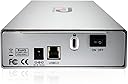
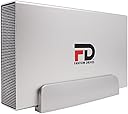
Fantom Drives 22TB GFORCE 3 Pro 7200RPM External Hard Drive - Aluminum, Silver, USB GF3S22000UP Review: Exactly what I wanted. - I bought this for my Xbox One to store some additional games. Aside from looking like a boss hard drive, it's also the first result when you search for "7200rpm external hard drive". I imagine that's why you see so many reviews from fellow Xbox One owners. Anyway, my Xbox One's internal storage was 92% filled up so it was time to upgrade. Pros 1. The thing feels really solid. The actual external closure is made out of metal while the stand is made out of plastic. The connections in the back, the power switch, and all of it feels like a complete and sturdy package. I imagine it'll last for a long time if I treat it right (assuming the drive isn't a dud, which happens from time to time). It looks awesome sitting next to my xbox one. 2. 2TB as advertised and so far it's taken all the games I own (about 12, of varying sizes) with about 75% of its capacity left to play with. Transfers have been (relatively) quick and painless. The formatting process on the Xbox One was also quick and painless. 3. The drive turns off when the console turns off. Woot! 4. The 7200rpm vs 5400rpm debate is long and tedious. I will say this. On an old 3TB 5400rpm drive, I got exactly ONE bit of stutter while playing a game on NHL 16. With the 7200rpm, I got no stutters on that game. So even if the benefits are minuscule, sometimes that's enough to even out the rough edges. Glad I went 7200rpm. 5. Unless I update and say that the drive failed, assume the drive continues to live :) Cons 1. I wish the USB 3.0 cable were a bit longer. Kind of limits my placement of this device. I may have to buy a slightly longer one if my current placement doesn't work out. 2. A mode to turn the blue light off would've been nice. It is kind of harsh. Some things of note: 1. This really is just a 7200rpm hard drive wrapped up in a really cool, all metal enclosure. By that I mean (I'm like 95% certain) that there's no difference between this and a 7200rpm drive you buy for your desktop computer. In reality, you could probably pick up a 7200rpm drive, buy an enclosure, and create something like this yourself if you're tech-savvy DIY type. I'm tech savvy, but I'm notoriously bad at DIY which is why I got this one. 2. Because it is pretty much a standard, desktop-grade 7200rpm hard drive, the snicks and wizzes that people are hearing are actually totally normal. That's what desktop HDDs sound like. Some may think it's too loud or worrisome, I can tell you it's not. That's what my computer hard drive sounds like and it's still ringing after 5 years. Overall, I'm currently super happy about my purchase. It's working very well and my games play extremely well off of it. Don't listen to the debates, there's really not much of a real-world difference between 5400rpm and 7200rpm, but if you're like me and you want to go that "little, itty bitty" extra mile with your Xbox One, this is a good drive to do it with. Just point the light the other way so it burns holes in your walls instead of your retinas! :D Review: I just got this drive, but so far it's the best external HD I've owned to date. - I've been a professional graphic and web designer for more than 15 years, and I've owned external hard drives from all the major manufacturers, and a few in between. I currently have a Lacie, a Seagate, a WD and this new Fantom sitting on my desk. This Fantom drive replaces a CalDigit Media Drive, for which I paid more than twice as much, and which was only 1 TB. That drive, hyped as a reliable pro-quality drive, was noisy and lasted less than two years. It started making loud clunking noises and spinning all the time, and I replaced it before I experienced any data loss, but it was about dead. The CalDigit external drive required me to push an "on" button with every startup; unlike any of my other drives, it would not mount on its own. This Fantom drive is quieter than any of my other hard drives, and it mounts automatically when I boot my Mac. I'm using it as my Time Machine drive, and so far it's working flawlessly. It's also a very sleek-looking drive, with a nice brushed-steel black finish, and it looks thinner on my desktop than the main image in this listing makes it appear. A nice blue LED assures me that it's turned on. The feel of this enclosure is that it's well made, a real quality deal. I haven't tested it for speed, but it's a 7200-rpm drive, and it's fast enough for backups for sure. I'll need new computer with USB 3.0 to really appreciate the transfer speed. I would recommend this drive to anyone who wants a solid, well-built desktop hard drive. UPDATE: It's now March of 2015, and this drive, alongside its twin, are still humming along nicely doing a lot of heavy lifting. My Mac Pro user folder is on one, and Time Machine is on the other, and I've yet to have any issue with these drives running nearly 24/7. Awesome!
| ASIN | B0BZ2K7C8D |
| Additional Features | Portable |
| Best Sellers Rank | #530 in External Hard Drives |
| Brand | Fantom Drives |
| Built-In Media | USB 3.0 cable, Power Adaptor and Stand |
| Cache Memory Installed Size | 1 |
| Color | Silver |
| Compatible Devices | Gaming Console, Laptop |
| Connectivity Technology | Thunderbolt , USB |
| Customer Reviews | 4.2 out of 5 stars 1,943 Reviews |
| Data Transfer Rate | 291 Megabytes Per Second |
| Digital Storage Capacity | 22 TB |
| Enclosure Material | Aluminum |
| Form Factor | 3.5-inch |
| Hard Disk Description | Mechanical Hard Disk |
| Hard Disk Form Factor | 3.5 Inches |
| Hard Disk Interface | Serial ATA |
| Hard Disk Rotational Speed | 7200 RPM |
| Hard-Drive Size | 22 TB |
| Hardware Connectivity | USB |
| Installation Type | External Hard Drive |
| Manufacturer | Fantom |
| Media Speed | 250 Megabytes Per Second |
| Model Name | GFORCE 3 Pro |
| Model Number | GF3S22000UP |
| Number of Items | 1 |
| Read Speed | 250 Megabytes Per Second |
| Special Feature | Portable |
| Specific Uses For Product | Business, Gaming, Personal |
| UPC | 749656173521 |
| Warranty Description | 1 Year |
J**Y
Exactly what I wanted.
I bought this for my Xbox One to store some additional games. Aside from looking like a boss hard drive, it's also the first result when you search for "7200rpm external hard drive". I imagine that's why you see so many reviews from fellow Xbox One owners. Anyway, my Xbox One's internal storage was 92% filled up so it was time to upgrade. Pros 1. The thing feels really solid. The actual external closure is made out of metal while the stand is made out of plastic. The connections in the back, the power switch, and all of it feels like a complete and sturdy package. I imagine it'll last for a long time if I treat it right (assuming the drive isn't a dud, which happens from time to time). It looks awesome sitting next to my xbox one. 2. 2TB as advertised and so far it's taken all the games I own (about 12, of varying sizes) with about 75% of its capacity left to play with. Transfers have been (relatively) quick and painless. The formatting process on the Xbox One was also quick and painless. 3. The drive turns off when the console turns off. Woot! 4. The 7200rpm vs 5400rpm debate is long and tedious. I will say this. On an old 3TB 5400rpm drive, I got exactly ONE bit of stutter while playing a game on NHL 16. With the 7200rpm, I got no stutters on that game. So even if the benefits are minuscule, sometimes that's enough to even out the rough edges. Glad I went 7200rpm. 5. Unless I update and say that the drive failed, assume the drive continues to live :) Cons 1. I wish the USB 3.0 cable were a bit longer. Kind of limits my placement of this device. I may have to buy a slightly longer one if my current placement doesn't work out. 2. A mode to turn the blue light off would've been nice. It is kind of harsh. Some things of note: 1. This really is just a 7200rpm hard drive wrapped up in a really cool, all metal enclosure. By that I mean (I'm like 95% certain) that there's no difference between this and a 7200rpm drive you buy for your desktop computer. In reality, you could probably pick up a 7200rpm drive, buy an enclosure, and create something like this yourself if you're tech-savvy DIY type. I'm tech savvy, but I'm notoriously bad at DIY which is why I got this one. 2. Because it is pretty much a standard, desktop-grade 7200rpm hard drive, the snicks and wizzes that people are hearing are actually totally normal. That's what desktop HDDs sound like. Some may think it's too loud or worrisome, I can tell you it's not. That's what my computer hard drive sounds like and it's still ringing after 5 years. Overall, I'm currently super happy about my purchase. It's working very well and my games play extremely well off of it. Don't listen to the debates, there's really not much of a real-world difference between 5400rpm and 7200rpm, but if you're like me and you want to go that "little, itty bitty" extra mile with your Xbox One, this is a good drive to do it with. Just point the light the other way so it burns holes in your walls instead of your retinas! :D
C**H
I just got this drive, but so far it's the best external HD I've owned to date.
I've been a professional graphic and web designer for more than 15 years, and I've owned external hard drives from all the major manufacturers, and a few in between. I currently have a Lacie, a Seagate, a WD and this new Fantom sitting on my desk. This Fantom drive replaces a CalDigit Media Drive, for which I paid more than twice as much, and which was only 1 TB. That drive, hyped as a reliable pro-quality drive, was noisy and lasted less than two years. It started making loud clunking noises and spinning all the time, and I replaced it before I experienced any data loss, but it was about dead. The CalDigit external drive required me to push an "on" button with every startup; unlike any of my other drives, it would not mount on its own. This Fantom drive is quieter than any of my other hard drives, and it mounts automatically when I boot my Mac. I'm using it as my Time Machine drive, and so far it's working flawlessly. It's also a very sleek-looking drive, with a nice brushed-steel black finish, and it looks thinner on my desktop than the main image in this listing makes it appear. A nice blue LED assures me that it's turned on. The feel of this enclosure is that it's well made, a real quality deal. I haven't tested it for speed, but it's a 7200-rpm drive, and it's fast enough for backups for sure. I'll need new computer with USB 3.0 to really appreciate the transfer speed. I would recommend this drive to anyone who wants a solid, well-built desktop hard drive. UPDATE: It's now March of 2015, and this drive, alongside its twin, are still humming along nicely doing a lot of heavy lifting. My Mac Pro user folder is on one, and Time Machine is on the other, and I've yet to have any issue with these drives running nearly 24/7. Awesome!
I**O
Dead in Three Months or Less
I bought this 2-TB external hard drive in May to replace an 8-year-old WD MyBook drive. The WD drive was fine, and exceptionally quiet, but at 8-years-old, I worried about it. The drive(s) were connected to my antenna TV DVR, recording TV shows (cord cutting duty). Every once in a while, you get a good deal on a no-name item. This one sure looks like excellent quality from the outside. Unfortunately, the beauty IS ONLY SKIN DEEP. When I first connected the Fantom Drive up, I thought it was much noisier than the old MyBook. It worked OK, and I've never had a hard drive as quiet as the MyBook, so I felt I may have judged the Fantom Drive unfairly. The antenna TV DVRs have a recording schedule, just like cable TV DVRs, but some times, I thought the Fantom Drive was making a lot of noise when it shouldn't even be recording. Well, with that DVR, I sometime don't check in on it for a couple of months at a time. I did last week, and when I switched the TV to that DVR, there were big red warnings that the DVR couldn't read/access the hard drive. As it turned out, I had just bought a new second TV Antenna DVR, and was using the MyBook with that one until I could afford an 8TB hard drive for the new DVR. I got that one today, and moved the old MyBook hard drive back to the 1st DVR. That DVR is happy again, and the ancient MyBook is still running silent. I took the Fantom Drive to my main PC desktop, and plugged it in. It's spinning, and making some occasional noises, the irritatingly blue LED is glaring like it always has. My computer made a "bell" noise when it detected the drive, but it can't identify, or even list the drive being there. It's apparently a nice looking doorstop now. I was hoping to re-format the thing and use it as temporary storage on the PC, but since it doesn't show up as anything, I can't format it. (It is a Phantom - the computer can't see it). Right from the start with this drive, I was super impressed with the nice looking and sturdy all metal case. I wanted to like it... but the drive inside that case was noisy from the start, and I don't know when it died. It may have been the first week, or 3 months at the most.
R**Y
Reliable and affordable
I have purchased at least 10 Fantom external drives over the years starting with a couple of 250GB models back when that was considered "huge", and gradually adding a few 1TB, 2TB, and most recently a couple of 4TB models to the lineup. In spite of some reviewers claiming spotty quality, my experience with these drives has been nothing short of perfect. I use some for rotating backups so they are not powered on all the time. But I also have 5 operating 24/7 on my local network and have been for years without a single fault. When my storage needs outpaced the 250GB and 1TB models I simply replaced their HDD with larger ones. True the earlier models have USB2 interface but so what. If massive high speed data transfer isn't a necessity then USB2 works just fine. And common sense should tell you any spinning storage device needs to be on battery backup. All my Fantom drives are powered from UPS so maybe that contributes to my 0% failure rate, maybe not. Who knows. Hard disks fail and that's just a fact of life. But proper use, handling, and storage goes a long way to maximizing their life span. Bottom line, these are good units and I will continue buying them as needed.
E**A
Preliminary thoughts: Nice Hard Driven EDIT 12/29/2014
For the price, this was a great steal. USB 3.0 7200RPM, 2 TB's of space, and a 3 year warranty. Nice snatch. After reading reviews and comparing data, I decided on this External Hard Drive for my Xbox One. I own about 12 games, about 7-8 are full fledged games. It went from being 87% of my internal HDD to 19% of the external. The Xbox is flowing pretty fast now. It is nice because its powered by an AC Adapter, and it is a solid/heavy hard drive. EDIT: As of now, 12/29/14 the Hard Drive runs like a champion. Speedy installs and running games. I've cut a handful of time off my games. Even the Xbox runs its apps better, I'm assuming but without testing that the free memory allows the Xbox to pull information faster. My only concerns, and its nitpicking, the hard drive does spin a bit loud... or rather at night you'll hear this bad boy spinning, and you can hear it mostly when loading games, or in between cutscenes. Not annoying but surprising at times like... a crackle. The other concern is, don't forget to shut it off at night. I've sometimes left it on, and it does get hot but where it is is ventilated well, also the LED notifcation is a bright blue and can light up a whole small room. It'll keep you up. After installing more games like Destiny, and expansion content, still at 25%, which is a great sign.
I**Y
I have several of these drives
So far I have 6 of these drives, oldest is 7 months and newest is 1 month old. All are connected thru BC-U3H10 10 port USB 3.0 Hub. I always do slow format on any new drive, be prepared for long 12 - 24 hours, none of the drives failed format or show any bad sectors. Drives store data, video files including 1080p. The drives easily stream the HiDef videos over network, so speed is no issue. When not in use the drives will power down, saving power. Only time drives get warm to touch is when running solid for more than 4 hours. As there are no fans, drives run quiet and metal case does nice job removing heat from actual drive. They do cost more than Seagate or Western Digital, but those tend to use plastic cases and I did see Seagate fail, drive would not recognize on any computer. I took that Seagate out of plastic case and inserted in to aluminum external case, amazingly now the drive works fine.
S**M
Great Investment for Xbox One users
This was a great purchase that worked right out of the box. I powered everything up then plugged the USB 3.0 cable into the Xbox One, it was immediately recognized and I formatted it for use. It does make some noise on startup, but it's not nearly as loud as some reviews here make it out to be. It chatters a little when on load screens but it stops immediately when the game is ready to play. I've noticed a minimum of 10 seconds faster load times when playing the multiplayer for Dragon Age Inquisition. The drive sleeps when my xbox is off, so I don't have to fool around with it at night. The outer casing does get a little warm after several hours of use but it's not "hot" by any means. 200$ is expensive to invest, but if I had to choose between this an getting the One's Kinect, I would choose this drive everytime. I would recommend using the short USB 3.0 cable this thing comes with in order to maximize the transmission speed of your data. The only other thing of note is that it comes pre-formatted with NTFS file system. This is the drive you are looking for...
N**C
Perfect for increasing Xbox One storage. It's 2TB, USB 3.0, 7200 RPM, and less than $100. It's a no-brainer!
I have, like others have stated in their reviews, purchased this item specifically for use as my main game and app hard drive for my Xbox One. I haven't noticed any issues compared to using the internal storage, in fact I'd say the game loading times are even a bit quicker. 7200 RPM absolutely is the way to go. The biggest benefit is really the storage difference. With everything I had installed I was using approximately 40% of the internal storage, and now I am using about 7%. It's nice having the comfort of that space. The blue light in front is absolutely too bright; however, I have placed the unit facing the wall towards the rear of the shelf I have it in, so thankfully I don't have to deal with it. If I did, I'd probably cut a small circle out of electrical tape (just big enough to cover the light) and stick it in front. I had read some other reviews mention noise issues, but I used the included stand, have the drive mounted vertically (just as you see in the picture), and haven't noticed any noise. Perhaps I am now just immune to the humming vibrations of electronics! This does come with its own power supply, so be predpared to have an available outlet. The last note I'll touch on is the "wake" speed. Yes, it is something you will have to live with, but it hasn't bothered me in the slightest. It's not an issue at all while you're in the middle of playing, and when I have found myself waiting it's been barely noticeable. For the speed during gaming, the incredibly large boost of storage, and for less than 100 bucks, it's just not something that's been an issue for me. I would, and already have, recommend this to my friends looking to increase their One storage capacity.
Trustpilot
2 months ago
1 day ago