🚀 Upgrade your workflow with the SSD that keeps pace with your ambition!
The Samsung 970 EVO Plus MZ-V7S500BW is a 500 GB internal NVMe M.2 SSD delivering up to 3,500 MB/s sequential read and 3,300 MB/s write speeds. Featuring cutting-edge V-NAND technology, advanced thermal management, and robust endurance of up to 300 TBW, it offers professional-grade performance and reliability in a compact form factor. Backed by Samsung’s Magician software and a 5-year warranty, it’s designed for power users seeking fast, durable, and efficient storage solutions.


| ASIN | B07CGGRYVT |
| Best Sellers Rank | 90,378 in Computers & Accessories ( See Top 100 in Computers & Accessories ) 427 in Internal Solid State Drives |
| Box Contents | Solid State Drive |
| Brand | Samsung |
| Brand Name | Samsung |
| Cache Memory Installed Size | 1 GB |
| Color | Black |
| Compatible Devices | Laptop, Desktop |
| Connectivity technology | PCIe |
| Customer Reviews | 4.7 out of 5 stars 2,065 Reviews |
| Data Transfer Rate | 3938 Megabits Per Second |
| Digital Storage Capacity | 1000 GB |
| Digital storage capacity | 1000 GB |
| Enclosure Material | NAND, 3D NAND or NOR flash |
| Form Factor | M.2 2280 |
| Global Trade Identification Number | 08801643205379 |
| Hard Disk Description | Solid State Drive |
| Hard Disk Form Factor | 2280 Millimetres |
| Hard Disk Interface | PCIE x 4 |
| Hard disk form factor | 2280 Millimetres |
| Hard disk interface | PCIE x 4 |
| Hard-Drive Size | 1E+3 GB |
| Hardware Connectivity | PCI Express x4 |
| Hardware Platform | PC |
| Installation Type | Internal Hard Drive |
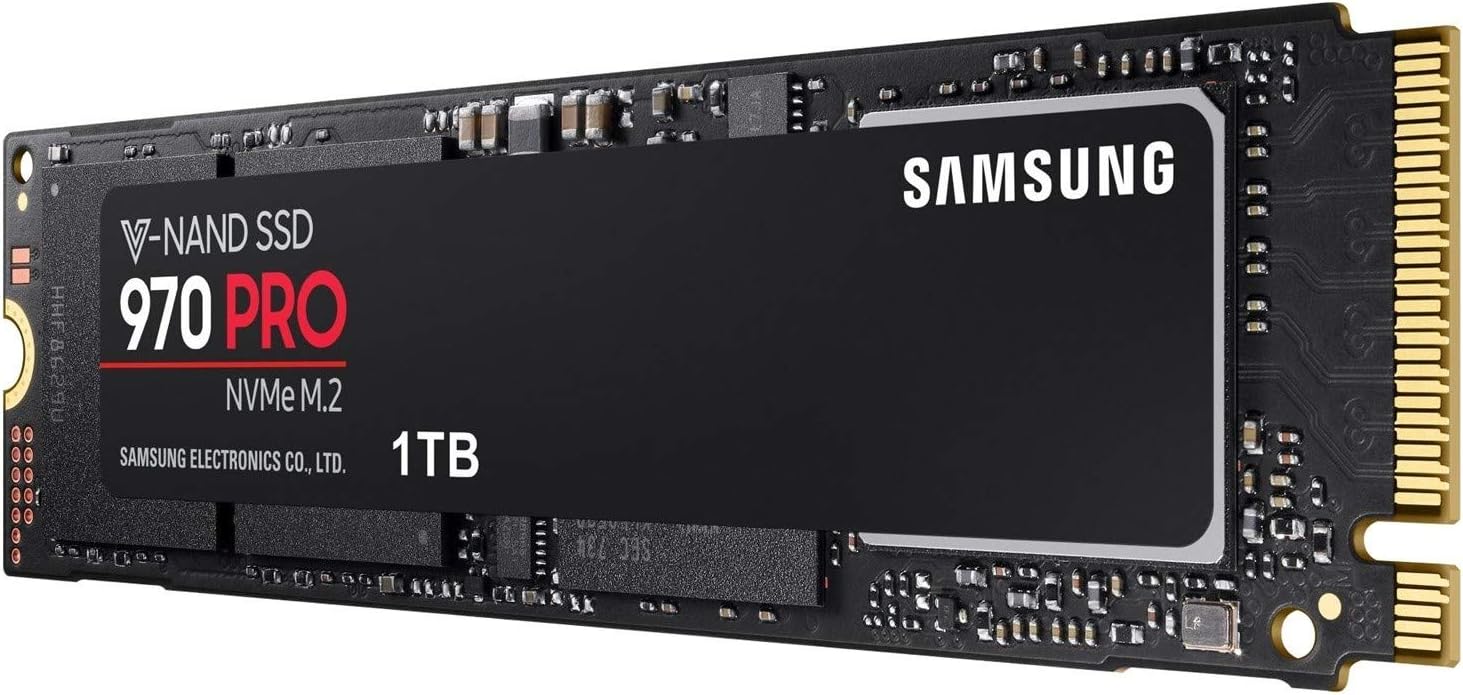
| Item Type Name | Samsung 1TB 970 PRO V-NAND M.2 PCI Express Gen 3. x4 NVMe 1.3 Phoenix Controller SSD Solid State Drive |
| Item Weight | 8 Grams |
| Manufacturer | Samsung |
| Manufacturer Part Number | MZ-V7P1T0BW |
| Media Speed | 2.700MB/s |
| Model Name | 970 PRO |
| Model Number | MZ-V7P1T0BW |
| Network Connectivity Technology | PCIe |
| Number of Items | 1 |
| Product Features | Portable |
| Product Warranty | Warranty Period 60;Months. Warranty period varies by model.For details about Samsung products specific warranty terms and conditions please follow the manufacturer c. |
| Read Speed | 3500 Megabytes Per Second |
| Special feature | Portable |
| Specific Uses For Product | Gaming, Personal |
| Unit Count | 1.0 count |
S**R
Everything as smooth as silk
What can I tell you? I've given it 5 stars because, so far, the whole operation of purchase, delivery, installation, installation of OS, and use, has been as smooth as silk. I decide to build a new desktop DAW (Digital Audio Workstation) to run Ableton Live 10. And with the intention of connecting multiple audio and MIDI devices. I bought this Intel Mini PC from Amazon https://www.amazon.co.uk/gp/product/B07KPMWTQS/ref=ppx_yo_dt_b_asin_title_o01_s00?ie=UTF8&psc=1 . It's bare bones so needed a hard drive, memory, operating system and all the peripherals. I chose an M.2 type SSD after reading up on the internet about keeping down the heat generation and about operating speed. I chose this RAM for the same reason: https://www.amazon.co.uk/gp/product/B01BNJL8I4/ref=ppx_yo_dt_b_asin_title_o01_s01?ie=UTF8&psc=1. For installation, I followed the instructions supplied by Intel (on the web). It was simple enough, and quickly done. But I did take the precaution of wearing an anti- static wrist band and earthing myself to the Mini PC chassis. Installing the OS on the drive was also just a case of following the bouncing ball. This OS was a great price at the time and it came supplied with Windows 10 on a USB key: https://www.amazon.co.uk/gp/product/B0111YEG44/ref=ppx_yo_dt_b_asin_title_o01_s00?ie=UTF8&psc=1 But a much cheaper OEM version would do just as well. The PC boots up and Ableton opens up, all incredibly quickly. Installing any new USB device seems to happen in seconds. So I'd say the drive is working well with the PC and the RAM. Before I jacked up the permanent speed of the processor to around 4.45 Ghz from the standard 2.7Ghz, I don't think the PC fan operated at all, so I'd say, it's really not generating that much heat. So it's been one of those delightful (but sadly rare) experiences, when having chosen the product, then fitting it and using it just went very smoothly. I only have one pic, which shows the Mini PC itself... that measures a little over 10x10x5 cms and provides plenty of room for this M.2 SSD - I even have a Sandisk 2.5" SSD drive in there to hold my library files and it's certainly not "crowding" the Samsung.
C**L
Fantastic performance and easy to install
Great drive which performs very well in benchmarks. Personally I use this drive for multiple virtual machines where it seems to be more responsive when booting, installing or performing disk heavy I/O. I could manage just fine on a SATA model, but this NVMe causes the VMs to feel more snappy and responsive in this scenario. Outside of this specific workload, the drive feels similar to my SATA SSDs since my other tasks are not usually limited by storage performance. After all, SATA solid state drives are already significantly faster and have very low latency compared to spinning rust (hard drives). Benchmarks were ran on my Ryzen 2700X system with an Asus Crosshair X470 motherboard. Due to being so compact and fast, these drives can get hot. Under heavy sequential write workloads these drives can get toasty and potentially throttle. Running CrystalDiskMark with default settings saw a peak temperature of 64C (22C ambient, installed in desktop but with no active airflow). I suspect that in a restrictive environment, such as a laptop, that throttling could possibly be common in heavy workloads. Packaging is good. Small cardboard box with a plastic shell protecting the SSD drive. It did not come with a screw to install the drive though as these are usually included with your motherboard. Very easy to install with no cables needed. Samsung magician software is also decent and easy to use with a clean design. I have tried a range of tools from other manufacturers but the Samsung software is a clear winner. It isn’t necessary, but it allows you to benchmark the drive, set overprovisioning, secure erase and more. Also make sure to install the Samsung NVMe driver from their website for optimal performance. As for Amazon, I have a mixed experience. The first drive I ordered was stolen (broken security seal and drive missing) but they quickly arranged a replacement without any hassle. The product itself though is fantastic.
T**Y
Incredibly fast!
I purchased the Samsung 970 PRO 512 GB NVMe for my PC to use as the OS (Windows 10 x64) and applications drive. This drive is incredibly quick and Windows now boots up to the desktop before the animated boot logo even appears - that's how quick it is! Compared to a mechanical hard disk the difference in performance is astronomical and you will never look back. It's also considerably faster than a SATA SSD drive. Compared to another NVMe disk you may struggle to see much difference in everyday use unless you are using the disk very heavily such as for sustained data transfers and high random IO. I was a little disappointed when I benchmarked the disk on my PC because the numbers came back lower than Samsung's advertised speeds - the speeds are still insane though so I am definitely not complaining. However, it appears that other users have managed to get close to the maximum speeds of the disk without issue. I'm currently running an ASUS X299 board and apparently I'm not alone with users getting less than advertised speeds with their X299 boards. This looks like a firmware issue with my motherboard so hopefully this will get fixed by ASUS. The 970 Pro is Samsung's flagship NVMe disk and is a lot more expensive than the 970 EVO, as is always the way. If you have done any research into comparing the two you will see that the performance between them is very similar. The 970 Pro does use a different type of NAND which doubles the endurance rating (TeraBytes Written) of the drive but other than that I don't think most users will be able to tell the difference between them in every day use. Pros: - Incredibly fast - 5 year warranty - Works with Samsung Magician (the OEM drives don't) - High TBW endurance rating Neutral - Requires a NVMe slot which older systems don't have (you can purchase a PCI Express adapter for the majority of PCs though). Cons - Expensive - Negligible differences in performance when compared to the 970 EVO (and similar performing drives from other manufacturers)
G**N
Fast drive very reliable
Great item. Fast delivery. Well packaged. Highly recommended. 100% good Fast drive very reliable
F**E
Unbelievably fast and cutting edge (for 2018)
I included this M.2 drive as part of my new water cooled PC build and inserted it under the heatsink on my ASUS ROG Maximus Formula. On my first PC build in 1996 I paid about the same price for a 1.6 GB (yes that is GB not TB). So the price for me is not an issue. Out of all the kit on the new build so far (I am waiting on the RTX 2080TI as I write) this is the component that sticks out as the most amazing technological leap. It scores over 3500 read speed on CrystalDiskMark. For comparison, my older Samsung 830 series SSD scores circa 750. Interestingly, it only scores 2770 on Samsung's own Magician software, which is also around the same as the Novabench benchmark software which gives mine a higher than average score of 253. Maybe it is the motherboard that helps with this. If you are building a new PC or just want a worthy upgrade then get one of these. At least for the main OS hosting drive. You will NOT be disappointed with the performance.
D**E
Seems pretty fast
Upgraded from my 256MB 840 pro SSD and new to the M.2 formfactor. So far, after ~1 month, it doesn't seem that much quicker in comparison under normal circumstance (which I was expecting and makes total sense). On long file decompression and mass file copying it 'seems' faster, but the only proof I've had is by connecting both and having Samsung Magician run tests. The 970 achieves the stated speeds (which are much faster than the 870 SSD) so I'm totally happy. Will update once I get all my heaving apps running in parallel - it has only been using for about 1 month
M**K
Colour me Impressed.
I am impressed by ths speed of this device - and I am pretty hard to impress these days. I replaced the SATA SSD in my desktop (that was no slouch, but was running out of space) by cloning it to this drive. Now I have virtually no boot time to speak of and games load lightning fast. The transfer rate benchmarks are great and it is definitely faster than the M.2 drive I have in my gaming laptop. Nice bit of kit.
K**7
Amazing speed, gets hot.
My MiniITX case has a m.2 slot only on the back - so i had to install it there - and during tests the temps reached 91%...I suppose if it is on the front of the mobo and gets a decent cooling - it could be kept cooler. If you keep it inside a laptop - I suppose it could get hot, if not hotter than in my case. And heat is something common on all m.2 pcie drives, as far as I know. I have read that even when it throttles - this 970 Pro transforms files with around a 1GB/s, which is pretty good. But simply the fact that it reaches over 90% in seconds under load - does not make me feel good about it. I suppose they should start selling this tiny drives with fans and coolers like a CPU...? Speed wise it is blazing fast otherwise, practically the fastest consumer ssd on the market as of autumn 2018. It installed Win10 on a last gen Desktop PC in less than 5 minutes..If you really need that speed is another matter...
A**Z
Rapide et efficace
Sobre, performant et fiable, ce SSD supporte mon système Windows depuis maintenant un an, et a déjà été beaucoup sollicité sur des travaux de montage vidéo entre autre. Je conseille ce stockage à toutes les personnes qui recherchent un SSD rapide et endurant, en particulier pour ceux qui font de l'applicatif qui nécessite des transferts rapides de fichiers. En jeu vidéo, la différence de performance par rapport à un SSD SATA est moins flagrante, mais les résultats restent très convenables. Benché rapidement autour de 3500 Mo/s en lecture et 2500 Mo/s en écriture, la vitesse de lecture correspond tout à fait à la vitesse nominale indiquée, mais 200 Mo/s en dessous pour l'écriture. Je suis très satisfait de mon investissement.
B**T
Schneller, kühler, besser
Ausgezeichnete Performance. Verglichen mit der Vorgängergeneration Samsung 960 ein deutlicher Performancezuwachs. Wer ein Mainboard mit einem 4x PCIe M.2 Steckplatz hat erreicht die beworbenen Übertragungswerte ohne Probleme. Ideal für alle die häufig mit großen Daten oder Datenmengen arbeiten, aber auch der reine Windowsbetrieb läuft blitzschnell. Bild 1 zeigt die Werte einer 960 EVO, Bild 2 zeigt die Werte der 970 PRO. Wurden die 960 Evo/Pro-Modelle schnell toastig-warm ist das bei den 970gern nicht mehr der Fall. Auf einem Asus Maximus X Hero im unteren M.2 Steckplatz (ohne Kühlkörper) ergeben sich bei 21°C Raumtemperatur: 960 EVO Idle: ~35°C | Unter Last: 60°C bis 85°C 970 PRO Idle: ~33°C | Unter Last: 40°C bis 65°C Eine deutliche Verbesserung. Trotzdem empfiehlt sich die Verwendung eines Kühlkörpers bzw. Steckplatzes mit Kühlkörper um die Temperaturen noch weiter zu senken. Solche Kühlkörper gibt es z.B. von Ek Waterblocks. Weitaus wichtiger als noch mehr Performance, die fast nie ganz ausgereizt werden kann, und besseren Temperaturwerten ohne Kühler sind die verbesserte Garantie und erhöhten TBW-Werte. TBW steht hier für Terabytes Written, also die Gesamtmenge an geschriebenen Daten die die SSD mindestens aushält. Endlich gibt es 5 Jahre Garantie auch für die EVO Modelle. Die PRO Modelle haben wie auch schon vorher 5 Jahre Garantie. Die TBW Werte wurden um satte 50% erhöht: 970 PRO mit 1TB -> 1200TB! Zum Vergleich die 960 PRO mit 1TB -> 800TB 970 EVO mit 1TB -> 600TB! Zum Vergleich die 960 EVO mit 1TB -> 400TB 970 EVO mit 2TB -> 1200TB Mit jedem Schritt runter in Kapazität halbiert sich der TBW-Wert. Die Samsung Software funktioniert gut aber leider nur halb. "Samsung Magician" ist und bleibt gut, "Samsung Data Migration" hat es leider nicht geschafft die existierende Windowsinstallation zu clonen.
R**L
wow quick
quick and wow bloody great product
M**A
Excelente produto
Excelente performance, muito rápido a um custo justp
N**A
Rapido e reattivo su PCI-E 2.0 ma la differenza di performance SATA 3.0/PCI-E 2.0 è del 7%
ATTENZIONE: Quanto segue è basato sull'esperienza di montaggio su PCI-E 2.0 4X/16X su chipset AMD 990FXA e 16GB di RAM che non supporta nativamete il boot da NVME. Driver Samsung: NVME 3.1. La comparazione è avvenuta con un Samsung 850 Pro da 256 GB. Con Schede PCI-E 3.0 o NVME nativo, le prestazioni sono nettamente superiori. Il disco è senza dubbio un ottimo prodotto. Lo ho acquistato e montato su un adattatore PCI-E 16x con dissipatore e installato su uno slot PCI-E 2.0 (testato su slot 16X e 4X senza differenza di prestazioni). Con le dovute modifiche all'UEFI della scheda madre funziona come disco di boot anche su schede che non supportano nativamente il boot da NVME. La velocità sel Samsung 970 Pro 512GB testata da benchmark generici e da benchmark Samsung Magician su PCI-E 2.0 è R:1600 / W:1400, poco meno della metà rispetto a un PCI-E 3.0 o nativo NVME. Il Samsung 850 Pro su SATA 3.0 (6GBps) è R:540 / W: 480 sempre da benchmark indipendenti e da Samsung Magician (i valori sono arrotondati per entrambi i dischi e si equivalgono fra i vari benchmark). La differenza con un Samsung 850 PRO 256Gb in SATA 3.0 (6GBps) si nota principalmente nella reattività dell'avvio di alcune applicazioni (ad esempio quelle che richiedono il caricamento di grosse librerie) e in generale nel tempo di risposta tra il click e l'avvio dell'applicazione stessa. Nel trasferimento dati invece le velocità si equivalgono con un leggero vantaggio per il 970 PRO: ad esempio per l'un-zip del pacchetto "Eclipse for PHP Developers" di Eclipse.org (240MB zippati con molti file di piccola dimensione) i tempi sono: Samsung 970 Pro: 1' e 31" Samsung 850 Pro: 1' e 34" L'avvio di Eclipse (con DevStyle come engine dei temi) è comunque lento su entrambi (dati relativi solo al Samsung 970 Pro: 1' e 50" circa in primo avvio e 1' e 40" in secondo avvio e per paragone: l'avvio di 3D Studio è 55 sec di media in primo avvio e 30 secondi in avvio successivo.) Qualcosa di simile all'un-zip avviene anche trasferendo fra i due dischi un file di grandi dimensioni (ad es. la ISO di Windows 10 32+64bit AIO da 7.1GB circa). Il trasferimento da disco meccanico SATA 3.0 a SSD SATA 3.0, nella mia configurazione, è durato 11' e 3". I tempi di copia fra i vari dischi (effettuando sempre l'operazione con la copia di Explorer di Windows), sono i seguenti: tra 850 Pro e 970 Pro il trasferimento è durato 3' e 20", mentre la copia da Samsung 970 Pro su sé stesso è durata 3' e 4" contro i 3' e 15 secondi di copia su sé stesso del Samsung 850 Pro. Lo spunto (picco di velocità all'inizio del trasferimento) è nettamente a vantaggio del 970 Pro (da cui la reattività nell'avvio delle applicazioni). Poiché la velocità di bus dell'NVME è 4X PCI-E, in qualsiasi slot (da 4X in su) e su qualsiasi adattatore NVME (da 4x a 16x) venga montato, la velocità massima non varia (ma state attenti agli slot con condivisione del bus: potrebbe ridurre la velocità di bus della scheda video in configurazione SLI). Ho optato per una scheda PCI-E 16X perchè aveva il dissipatore incluso. Non so quanto questa scelta (intendo dal punto di vista del chipset dell'adattatore) possa influire sulle prestazioni nel mondo reale del 970 Pro, non avendo altri termini di paragone. E' possibile, cercando in rete, trovare test degli adattatori più performanti (non so di quanto), ma dati i costi di alcuni di essi, forse è più conveniente eseguire un upgrade del PC. Fate attenzione anche allo slot NVME sull'adattatore: accertatevi che sia quello del 970 Pro (M.2 Chiave M) e abbia un dissipatore e non preoccupatevi di prendere un PCI-E 16X piuttosto che un qualitativamente migliore 4X. Nell'ambiente in cui ho testato il disco, l'upgrade da 850/860 pro a 970 pro da 512GB non è consigliato data l'esigua differenza di prestazioni (il 5%/7% contro un'aspettativa del 300% su PCI-E 2.0 e 650% su NVME nativo), ma sicuramente è preferibile l'acquisto del 970 Pro in previsione di un upgrade dell'hardware con integrazione slot NVME (la differenza di prezzo con l'860 Pro da 512GB è trascurabile). Se non è previsto un upgrade dell'hardware, per semplicità di installazione (se avete necessità di un disco da effettuare il boot del sistema) è preferibile il Samsung 860 Pro. Se il disco non serve per il boot e preferite avere comunque il 970 Pro, dovete considerare un minimo di 20 euro in più tra differenza di prezzo tra 860 e 970 e acquisto di un adattatore NVME->PCI-E. Ritengo che le stesse considerazioni siano applicabili alle versioni EVO dei dischi citati.
Trustpilot
3 weeks ago
3 days ago